Never miss a premiere date tracked on MyAnimeList
Every morning, WebRun opens MyAnimeList, checks the airing schedule and any new reviews for the titles you track, adds upcoming premiere and episode dates to Google Calendar, and posts an alert to Microsoft Teams when a premiere is coming up this week.
- No credit card
- Under $0.01 per run
- Cancel anytime
How do I track upcoming anime premiere dates from MyAnimeList?
WebRun checks MyAnimeList every morning for upcoming premiere and episode dates on the titles you track, adds each one to Google Calendar with a day's notice, and alerts Microsoft Teams when a premiere is coming up this week. It never posts reviews or forum comments itself, leaving your MyAnimeList voice entirely to you.
- No tracked title's premiere sneaks up unplanned
- The whole team sees this week's premieres in Teams
- Airing dates land on the calendar without manual checking
Built for Anime publishers · streaming platforms · fan communities · licensing teams
What does WebRun do on every run?
The exact actions WebRun takes, in order - in plain language, so you can adjust anything.
-
WebRun signs in and gets to work
Opens
myanimelist.net/login.phpin a real browser with your saved login - no setup, no API keys. -
1
MyAnimeList - check airing dates and new reviews for tracked titles
myanimelist.net
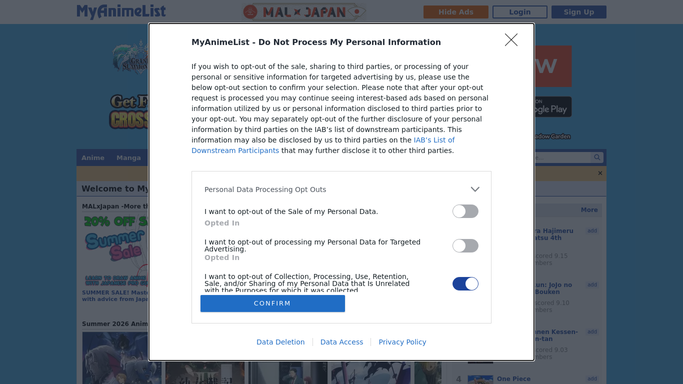
WebRun opens MyAnimeList to check airing dates and new reviews for tracked titles. - Open the MyAnimeList pages for each title you track
- Check the airing schedule for upcoming episodes and season premieres
- Note any new reviews or score changes worth flagging
Done when Every tracked title's next airing date has been checked.
-
2
Google Calendar - add premiere reminders
calendar.google.com How to Automate Google Calendar

WebRun opens Google Calendar to add premiere reminders. - Open the content calendar
- Add an event for each upcoming premiere or episode date
- Set a reminder a day ahead so the team has notice
Done when Every upcoming premiere and episode date is on the calendar.
-
3
Microsoft Teams - alert the team about this week's premieres
microsoft.com How to Automate Microsoft Teams

WebRun opens Microsoft Teams to alert the team about this week's premieres. - Post an alert for any premiere happening this week
- Include the title and airing date
- Note any notable new review or score change
Done when The team has been alerted to this week's premieres.
How is each run configured?
Secure by default
Connect once, stays signed in
WebRun signs in once and keeps each session in a persistent environment, so every run picks up right where it left off.
Every action is checked against this policy before it runs.
Questions, answered
Does WebRun post reviews or comments on MyAnimeList?
No. It only reads the airing schedule and reviews that are already posted. Writing reviews or forum posts stays with you.
How far ahead does it track premieres?
It checks the airing schedule for each title you track and adds every upcoming date it finds, so the calendar always reflects what's coming next.
What if a title's airing date changes?
The next morning's check picks up the new date and updates the calendar event, so a delay doesn't leave a stale reminder in place.
Related templates
Put this on autopilot.
Turn it on in minutes - or have our team set it up for you.