Track your Mullvad renewal and devices for you
Every Monday, WebRun opens your Mullvad account, checks the days remaining on the balance and the list of registered WireGuard keys, logs any device it does not recognize in Notion, and exports the balance and device count to a Google Sheet so renewal never sneaks up on you.
- No credit card
- Under $0.01 per run
- Cancel anytime
What does WebRun do on every run?
The exact actions WebRun takes, in order - in plain language, so you can adjust anything.
-
WebRun signs in and gets to work
Opens
mullvad.netin a real browser with your saved login - no setup, no API keys. -
1
Mullvad - check account balance and devices
mullvad.net

WebRun opens Mullvad to check account balance and devices. - Open the Mullvad account page and check days remaining on the balance
- List every WireGuard key and device currently registered
- Compare this week's device list against last week's
Done when This week's balance and full device list have been captured.
-
2
Notion - log unrecognized devices
notion.so How to Automate Notion
WebRun opens Notion to log unrecognized devices. - Open the account security page in Notion
- Log any device on the account that was not on last week's list
- Note the device name and the date it first appeared
Done when Any newly appeared device is logged in Notion for review.
-
3
Google Sheets - export the renewal tracker
google.com How to Automate Google Sheets
WebRun opens Google Sheets to export the renewal tracker. - Open the renewal tracker sheet
- Add this week's row with days remaining and device count
- Highlight the row if the balance drops under 14 days
Done when The renewal tracker sheet has this week's row, flagged if renewal is close.
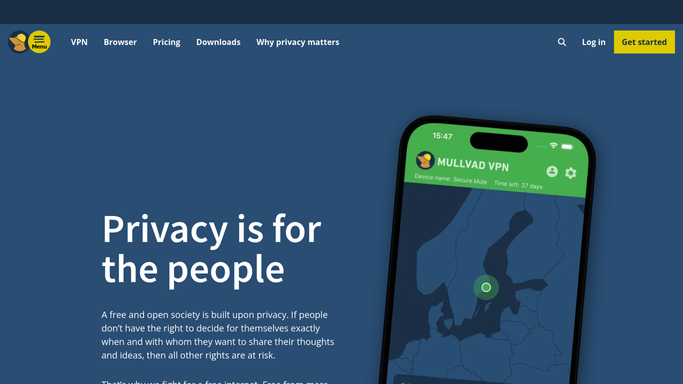


How do I track my Mullvad renewal date and catch unrecognized devices?
WebRun checks your Mullvad account every Monday for days remaining on the balance and the full list of registered WireGuard keys. It logs any device that was not there the previous week in Notion for review, and exports the balance and device count to a Google Sheet, so a renewal or a device you do not recognize never goes unnoticed.
- Renewal balance gets checked every week instead of expiring by surprise
- Unrecognized devices are logged for review the same week they appear
- Balance and device count are tracked in one running Google Sheet
Built for privacy conscious teams · IT admins · remote workers · small business owners
How is each run configured?
Secure by default
Connect once, stays signed in
WebRun signs in once and keeps each session in a persistent environment, so every run picks up right where it left off.
Every action is checked against this policy before it runs.
Questions, answered
Does WebRun renew my subscription or add payment details?
No. WebRun never touches billing or payment on your Mullvad account. It only reports the balance so you can renew yourself before it runs out.
What counts as an unrecognized device?
Any WireGuard key or device on the account that was not there the previous week. It gets logged in Notion so you can confirm it is yours or remove it.
Does WebRun store my Mullvad account number?
No. WebRun works inside your already signed-in Mullvad account like any other app it runs in. It never extracts, stores, or displays the account number in its logs or exports.
Related templates
Put this on autopilot.
Turn it on in minutes - or have our team set it up for you.