Catch a key metric falling off a cliff
Every morning, WebRun opens Mixpanel, reads yesterday's volume for the events you care about, compares each against the same weekday last week, posts any sharp drop to Slack, and emails you a fuller breakdown when a metric falls far enough to look like a tracking break rather than normal movement.
- No credit card
- Under $0.01 per run
- Cancel anytime
How do I get alerted when a product metric suddenly drops?
WebRun opens Mixpanel every morning and compares yesterday's volume for your core events against the same weekday last week. Any sharp drop is posted to Slack with the percentage change and the segment behind it, and severe drops trigger an internal Gmail breakdown, so broken tracking is caught within a day.
- Broken event tracking is caught the next morning, not next month
- Drops are judged against the same weekday, so weekly cycles do not cause false alarms
- The team sees the affected segment before anyone opens a dashboard
Built for product managers · growth teams · data analysts · SaaS companies
What does WebRun do on every run?
The exact actions WebRun takes, in order - in plain language, so you can adjust anything.
-
WebRun signs in and gets to work
Opens
mixpanel.comin a real browser with your saved login - no setup, no API keys. -
1
Mixpanel - compare yesterday against last week
mixpanel.com
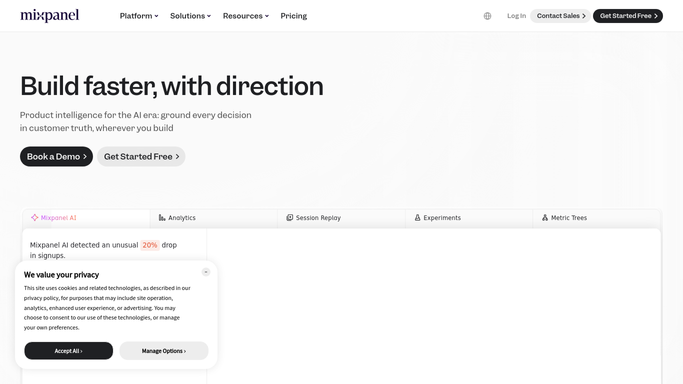
WebRun opens Mixpanel to compare yesterday against last week. - Open Mixpanel and load the saved reports or boards holding your core events
- Read yesterday's total for each tracked event
- Compare each against the same weekday last week and the trailing four-week average
- Flag any event down more than your threshold, and note events that went to zero
- Check whether the drop is concentrated in one platform, country, or source
Done when Every tracked event has yesterday's number, its comparison, and a flag if it dropped.
-
2
Slack - post the drops to the team
slack.com How to Automate Slack

WebRun opens Slack to post the drops to the team. - Post a short morning line to your analytics channel with any flagged drop
- Show the event name, yesterday's count, last week's count, and the percentage change
- Put events that fell to zero at the top, since those usually mean broken tracking
- Say nothing beyond a one-line all-clear when every metric is in range
Done when The team has this morning's drop list in Slack.
-
3
Gmail - email the detail on severe drops
gmail.com How to Automate Gmail

WebRun opens Gmail to email the detail on severe drops. - When a drop crosses your severe threshold, draft an internal email with the fuller breakdown
- Include the segment split so the reader can see whether one platform or release caused it
- Send it to your own team distribution list only
- Leave any email to a customer or an external partner unsent for a human to write
Done when Severe drops have an internal email with the segment breakdown.
How is each run configured?
Secure by default
Connect once, stays signed in
WebRun signs in once and keeps each session in a persistent environment, so every run picks up right where it left off.
Every action is checked against this policy before it runs.
Questions, answered
Will it email anyone outside the company?
No. The severe-drop email goes only to the internal address you set. Anything customer-facing is left for a human to write and send, and WebRun never emails a user or a partner on its own.
How does it tell a real drop from normal noise?
It compares yesterday against the same weekday last week and the trailing four-week average, so Monday is judged against Monday. You set the percentage that counts as a drop, and events falling to zero are always flagged.
Will it alert me every single morning?
Only when something moved. On a normal day it posts a one-line all-clear so you know the check ran, which keeps the channel quiet enough that a real alert stands out.
Related templates
Put this on autopilot.
Turn it on in minutes - or have our team set it up for you.