Welcome every new member who joins your Meetup group
When a new member joins your Meetup group, WebRun opens Meetup, reads their profile and the intro questions they answered, drafts a warm personal welcome email in Gmail that points at the next event, and posts the new member and their answers to your organiser channel in Slack.
- No credit card
- Under $0.01 per run
- Cancel anytime
How do I welcome every new Meetup member automatically?
When someone joins your Meetup group, WebRun reads their profile and intro answers, drafts a warm welcome email in Gmail pointing at the next event, and posts the new member to your Slack organiser channel. You approve and send the email, so newcomers hear from a real person on day one.
- Every new member gets a human welcome on their first day
- Intro answers reach the organisers instead of sitting unread
- The welcome always names the next event, so joining leads to attending
Built for Meetup organisers · community managers · user group leads · local networking hosts
What does WebRun do on every run?
The exact actions WebRun takes, in order - in plain language, so you can adjust anything.
-
WebRun signs in and gets to work
Opens
www.meetup.com/loginin a real browser with your saved login - no setup, no API keys. -
1
Meetup - read the new member's answers
meetup.com
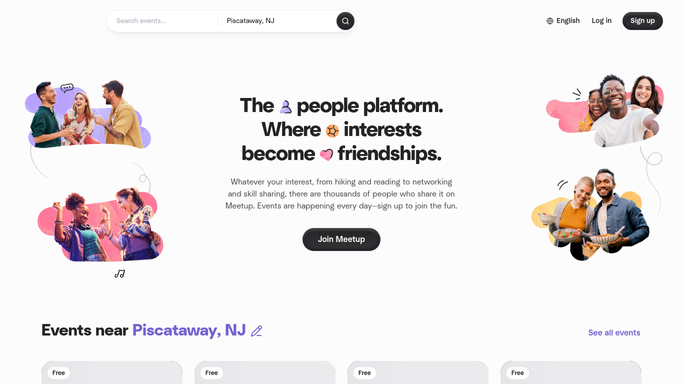
WebRun opens Meetup to read the new member's answers. - Open Meetup and check the members list and any pending join requests for your group
- Capture the new member's name, location, and the answers they gave to your intro questions
- Note whether they have already RSVPed to an upcoming event
- Look up the next scheduled event so the welcome has something to point at
Done when Each new member is captured with their intro answers and the next event to invite them to.
-
2
Gmail - draft a personal welcome
gmail.com How to Automate Gmail

WebRun opens Gmail to draft a personal welcome. - Draft a short, warm welcome email that references what the member said in their intro answers
- Include the date and topic of the next event and how to RSVP
- Leave the email as a draft for you to read and send. WebRun never emails a member on its own
Done when A personal welcome email sits in Gmail drafts for every new member.
-
3
Slack - tell the organisers
slack.com How to Automate Slack

WebRun opens Slack to tell the organisers. - Post the new member to your organiser channel with their intro answers
- Note whether they have RSVPed to the next event yet
- Link the drafted welcome so whoever knows them best can send it
Done when Your organiser channel knows who joined and what they said.
How is each run configured?
Secure by default
Connect once, stays signed in
WebRun signs in once and keeps each session in a persistent environment, so every run picks up right where it left off.
Every action is checked against this policy before it runs.
Questions, answered
Will it email new members without me?
No. Every welcome email is left as a Gmail draft for you to read and send. Only the internal Slack post to your own organiser channel goes out on its own.
Does it approve join requests?
No. WebRun reads the members list and pending requests but never accepts, declines, or removes anyone. Membership decisions stay with the organisers.
What makes the welcome personal?
It quotes the intro answers the member gave when joining and names the next event with its date and topic, so the email reads like a person wrote it rather than a template.
Related templates
Put this on autopilot.
Turn it on in minutes - or have our team set it up for you.