Check next week's posts before they go out
Every Monday, WebRun opens Mastodon, reads every post scheduled for the week ahead, checks each one for missing image alt text, the wrong visibility setting, or a missing content warning, files the checklist in Google Drive, and texts you the posts that need a fix.
- No credit card
- Under $0.01 per run
- Cancel anytime
How do I check scheduled Mastodon posts before they publish?
WebRun opens Mastodon every Monday and reads every post scheduled for the week ahead, checking each one for missing image alt text, the wrong visibility setting, or a missing content warning. It files the checklist in Google Drive and texts you through Twilio, so problems are fixed before publishing.
- Every scheduled image goes out with alt text
- Visibility mistakes get caught before a post publishes
- A weekly checklist history that shows recurring misses
Built for social media managers · community managers · creators · nonprofits
What does WebRun do on every run?
The exact actions WebRun takes, in order - in plain language, so you can adjust anything.
-
WebRun signs in and gets to work
Opens
mastodon.social/auth/sign_inin a real browser with your saved login - no setup, no API keys. -
1
Mastodon - review the scheduled queue
mastodon.social
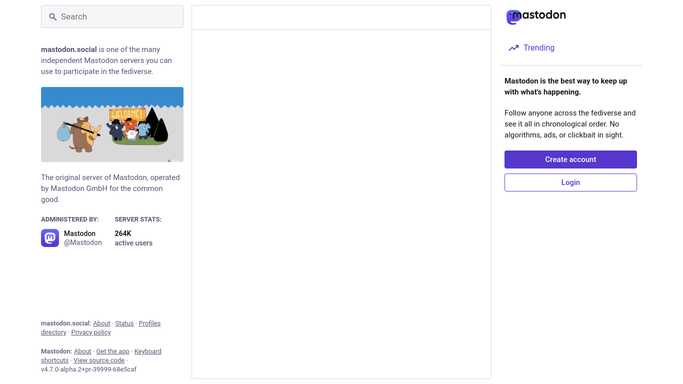
WebRun opens Mastodon to review the scheduled queue. - Open Mastodon and go to your scheduled posts and drafts
- Read every post due to publish in the next seven days
- Check each media attachment for alt text and flag any that has none
- Check the visibility setting and whether a content warning is set where your rules say it should be
Done when Every scheduled post for the week ahead has been checked against your rules.
-
2
Google Drive - file the preflight checklist
drive.google.com How to Automate Google Drive

WebRun opens Google Drive to file the preflight checklist. - Save a dated preflight checklist to your social folder in Google Drive
- List each scheduled post with its publish time and every issue found
- Mark posts that passed cleanly so the queue is fully accounted for
- Keep past weeks so recurring mistakes are visible
Done when This week's preflight checklist is filed in Drive.
-
3
Twilio - text you what needs fixing
twilio.com How to Automate Twilio

WebRun opens Twilio to text you what needs fixing. - Draft a short text listing the posts that need a fix and their publish times
- Send it only to your own number, never to followers or contacts
- Leave the message unsent for your approval if it names anyone outside your team
- Skip the text entirely when the whole queue passes
Done when You have a text listing the posts to fix, or the queue passed and nothing was sent.
How is each run configured?
Secure by default
Connect once, stays signed in
WebRun signs in once and keeps each session in a persistent environment, so every run picks up right where it left off.
Every action is checked against this policy before it runs.
Questions, answered
Will it post or edit anything on my account?
No. WebRun reads your scheduled queue and reports what needs fixing. It never publishes a post, edits a draft, or changes a visibility setting, so you make every change yourself.
What exactly does it check?
Three things on every scheduled post: whether each image has alt text, whether the visibility matches what you set for that kind of post, and whether a content warning is present where your rules require one.
Will it text me every Monday?
Only when something in the queue needs a fix. A clean week is filed to Drive quietly and no text is sent, so a message always means there is work to do.
Related templates
Put this on autopilot.
Turn it on in minutes - or have our team set it up for you.