Send owners a polished before and after report
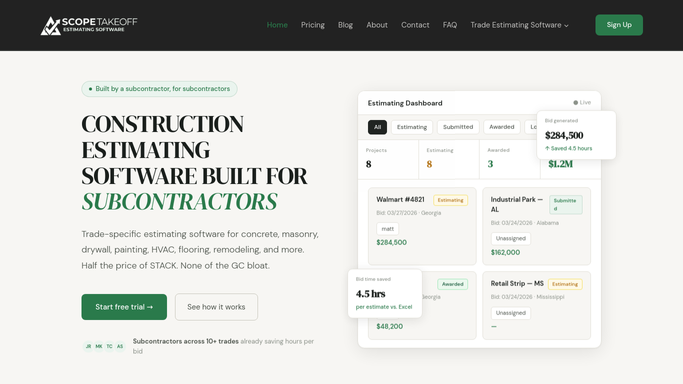
When a job wraps, WebRun collects the before and after photos from the job's Google Drive folder, reads the completed scope and quantities from ScopeTakeoff, assembles a clean before and after report, and drafts a completion email in Gmail for the owner so you can review and send it.
- No credit card
- Under $0.01 per run
- Cancel anytime
What does WebRun do on every run?
The exact actions WebRun takes, in order - in plain language, so you can adjust anything.
-
WebRun signs in and gets to work
Opens
drive.google.comin a real browser with your saved login - no setup, no API keys. -
1
Google Drive - gather before and after photos
google.com How to Automate Google Drive

WebRun gathers matched before and after photos from Google Drive. - Open the job's Google Drive photo folder
- Group photos into before and after by their labels or capture dates
- Pick the clearest matched pair for each area of work
- Skip blurry, duplicate, or unrelated images
Done when A clean set of matched before and after photos is selected for the job.
-
2
ScopeTakeoff - read the completed scope
scopetakeoff.com How to Automate ScopeTakeoff
WebRun reads the completed scope from ScopeTakeoff for the report. - Open the completed estimate in ScopeTakeoff for the job
- Read the scope of work, the areas treated, and the quantities delivered
- Write a short plain-language summary of what was restored
- Capture the property address and owner contact for the report
Done when A plain-language scope summary is prepared to sit beside the photos.
-
3
Gmail - draft the owner report
gmail.com How to Automate Gmail
WebRun drafts the owner completion report in Gmail and leaves it unsent. - Compose a completion email in Gmail addressed to the owner
- Lay the matched before and after photos beside the scope summary
- Thank the owner and note any warranty or care guidance
- Leave the email as an unsent draft for you to review
- Never email the owner without your approval
Done when A tidy before and after report sits ready in Gmail drafts for the owner.


How do I send owners a before and after masonry report automatically?
When a job wraps, WebRun collects the before and after photos from its Google Drive folder, reads the completed scope and quantities from ScopeTakeoff, and assembles a clean report. It drafts a completion email in Gmail addressed to the owner and leaves it unsent, so you review the photos and wording before sending every report yourself.
- Owners get a polished before and after report on every finished job
- Photos are paired with the real scope from ScopeTakeoff, not a template
- Nothing is sent to an owner without a human review
Built for masonry restoration firms · facade contractors · project managers · client-facing estimators
How is each run configured?
Secure by default
Connect once, stays signed in
WebRun signs in once and keeps each session in a persistent environment, so every run picks up right where it left off.
Every action is checked against this policy before it runs.
Questions, answered
Will it send the report to the owner without me?
No. WebRun assembles the before and after report and leaves it as an unsent Gmail draft. You review the photos and the wording and send it yourself, so nothing reaches the owner without your approval.
How does it match the before and after photos?
It groups the job folder's images by their labels or capture dates and pairs the clearest before and after shot for each area of work, skipping blurry or duplicate images.
Where does the description of the work come from?
From the completed estimate in ScopeTakeoff, so the report describes the actual scope and quantities delivered in plain language rather than a generic summary.
Related templates
Put this on autopilot.
Turn it on in minutes - or have our team set it up for you.