Track which distributor orders are still unfulfilled
Every morning, WebRun opens Marg ERP, reads the previous day's sale and dispatch entries, sorts every distributor order into dispatched, pending, or short-supplied, logs the run to a Google Sheet, and posts your team a clear fulfilment digest in Slack.
- No credit card
- Under $0.01 per run
- Cancel anytime
What does WebRun do on every run?
The exact actions WebRun takes, in order - in plain language, so you can adjust anything.
-
WebRun signs in and gets to work
Opens
www.margcompusoft.comin a real browser with your saved login - no setup, no API keys. -
1
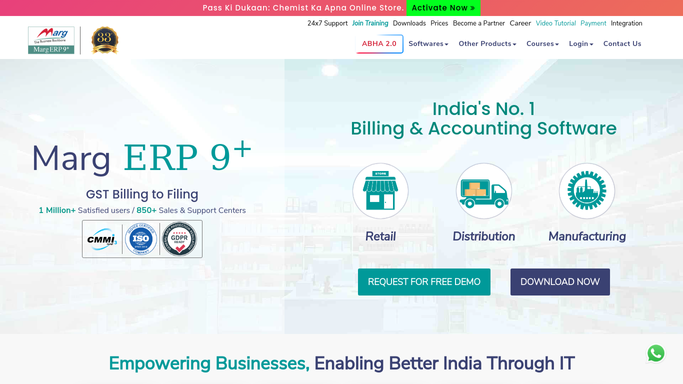
Marg ERP - read orders and dispatch status
margcompusoft.com How to Automate Marg ERP

WebRun opens Marg ERP to read orders and dispatch status. - Open Marg ERP and load yesterday's sale orders and the dispatch register
- Match each order to its invoice and delivery status
- Sort every order into dispatched, pending, or short-supplied, noting the retailer, value, and pending quantity
Done when Every order from the day has a fulfilment status and any shortfall noted.
-
2
Google Sheets - log the fulfilment status
google.com How to Automate Google Sheets
WebRun opens Google Sheets to log the fulfilment status. - Open the fulfilment tracker sheet and add today's dated row
- Write each order's retailer, status, value, and pending items
- Keep a running tab of pending value so trends stay visible
Done when Today's fulfilment status is saved as a dated row in the sheet.
-
3
Slack - post the morning digest
slack.com How to Automate Slack
WebRun opens Slack to post the morning digest. - Post a short digest with counts of dispatched, pending, and short-supplied orders
- List the largest pending and short-supplied orders first with the retailer name
- Keep it read-only for the team. WebRun never edits an order or messages a retailer
Done when Your team has the morning fulfilment digest in Slack.


How do I get a daily distributor order fulfilment digest?
Every morning WebRun opens Marg ERP, reads the previous day's sale and dispatch entries, and sorts every distributor order into dispatched, pending, or short-supplied. It logs the run to Google Sheets and posts a fulfilment digest to Slack, so your team starts the day knowing exactly which orders still need action.
- Every morning starts with a clear list of unfulfilled orders
- Short-supplied lines are flagged with exact pending quantity and value
- Order status is logged daily so fulfilment trends stay visible
Built for FMCG distributors · pharma wholesalers · stockists · Marg ERP users
How is each run configured?
Secure by default
Connect once, stays signed in
WebRun signs in once and keeps each session in a persistent environment, so every run picks up right where it left off.
Every action is checked against this policy before it runs.
Questions, answered
Will it change orders or message retailers?
No. WebRun only reads your orders and dispatch entries in Marg ERP and posts an internal digest to Slack. It never edits an order, releases a dispatch, or messages a retailer on its own.
How does it decide an order is short-supplied?
It compares each order's billed and delivered quantities in Marg ERP against what was ordered, so any line delivered short is flagged with the exact pending quantity and its value.
What if I want the digest at a different time?
Set any schedule you like. WebRun runs the same read-and-report steps whenever you choose, whether that is once each morning or several times through the dispatch day.
Related templates
Put this on autopilot.
Turn it on in minutes - or have our team set it up for you.