Get a morning digest of what Manus finished overnight
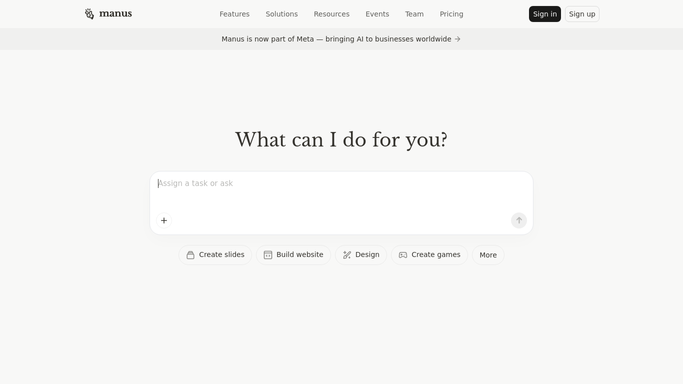
Every morning, WebRun opens Manus, checks which tasks finished overnight and which are still running, cross-checks today's commitments on Google Calendar, and sends your team a WhatsApp summary of what is done, what needs a look, and what is coming up.
- No credit card
- Under $0.01 per run
- Cancel anytime
What does WebRun do on every run?
The exact actions WebRun takes, in order - in plain language, so you can adjust anything.
-
WebRun signs in and gets to work
Opens
manus.imin a real browser with your saved login - no setup, no API keys. -
1
Manus - check overnight task activity
manus.im

WebRun opens Manus to check overnight task activity. - Open Manus and review tasks assigned since yesterday
- Note which finished, which are still running, and which stalled
- Capture a one-line result for each finished task
Done when Every task's status overnight has been captured.
-
2
Google Calendar - check today's commitments
calendar.google.com How to Automate Google Calendar
WebRun opens Google Calendar to check today's commitments. - Open today's calendar
- Note meetings or deadlines that relate to any open Manus task
- Flag anything due today that is still marked running or stalled
Done when Today's relevant commitments have been checked against open tasks.
-
3
WhatsApp - send the morning digest
whatsapp.com How to Automate WhatsApp
WebRun opens WhatsApp to send the morning digest. - Send your team a summary of what Manus finished overnight
- List any stalled task next to today's related deadline
- Keep the message to your own team's number, never a customer
Done when Your team has this morning's digest in WhatsApp.


How do I get a daily summary of what my Manus AI agent completed?
WebRun checks Manus every morning for tasks that finished overnight, still running, or stalled, then cross-checks today's Google Calendar for related deadlines. It sends your team a WhatsApp summary of what is done, what needs attention, and what is due today, so nothing overnight gets missed before the day starts.
- Stalled tasks get caught the same morning instead of days later
- Your team starts the day with a clear done versus pending list
- Overnight task activity is matched against today's real deadlines
Built for ops teams · AI automation builders · founders · remote teams
How is each run configured?
Secure by default
Connect once, stays signed in
WebRun signs in once and keeps each session in a persistent environment, so every run picks up right where it left off.
Every action is checked against this policy before it runs.
Questions, answered
Does it message anyone outside my team?
No. The WhatsApp digest goes only to the numbers your team has on file. It never messages a customer or contact from a Manus task.
What happens to tasks still running?
They are listed as still running rather than finished, and checked again the next morning, so nothing is reported done before it actually is.
How does it decide what's urgent?
It matches any stalled or still-running task against what's on today's Google Calendar, so anything tied to a same-day deadline is flagged first.
Related templates
Put this on autopilot.
Turn it on in minutes - or have our team set it up for you.