Review what is sitting in quarantine before it is forgotten
Every Monday, WebRun opens Malwarebytes, reads everything sitting in quarantine, groups the items by device and detection type, notes how long each has been held, posts a restore or clear recommendation to Microsoft Teams, and texts you when a device is stacking up detections.
- No credit card
- Under $0.01 per run
- Cancel anytime
How do I review my Malwarebytes quarantine backlog every week?
WebRun works your Malwarebytes quarantine backlog every Monday. It reads every held item, groups them by device and detection type, and notes how long each has been sitting there. A restore or clear recommendation is posted to Microsoft Teams and Twilio texts you when one device stacks up detections, so real threats are not lost in the pile.
- The quarantine backlog is reviewed weekly instead of never
- Devices with repeat detections are named, not averaged away
- False positives get released and real threats get cleared out
Built for IT leads · managed service providers · small business IT · security administrators
What does WebRun do on every run?
The exact actions WebRun takes, in order - in plain language, so you can adjust anything.
-
WebRun signs in and gets to work
Opens
my.malwarebytes.comin a real browser with your saved login - no setup, no API keys. -
1
Malwarebytes - read the quarantine backlog
malwarebytes.com
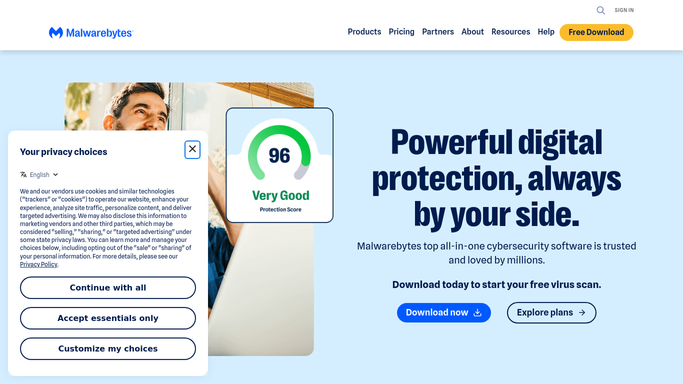
WebRun opens Malwarebytes to read the quarantine backlog. - Open your Malwarebytes account and list every item currently in quarantine
- Record the device, the detection type, the file or item name, and the date it was quarantined
- Group items by device and by detection type
- Note how long each item has been held and which devices are stacking up detections
- Cross-check recent scan history so a repeat detection is visible as a pattern
Done when Every quarantined item is listed with its device, type, and age.
-
2
Microsoft Teams - post the review list
microsoft.com How to Automate Microsoft Teams

WebRun opens Microsoft Teams to post the review list. - Post the quarantine review to your IT channel, grouped by device
- Give each item a suggested action: clear it out, or hold it for a restore decision
- Put repeat detections and the longest-held items at the top
- Show the backlog count so progress week to week is visible
Done when This week's quarantine review is posted in Teams with a suggestion per item.
-
3
Twilio - text you about urgent devices
twilio.com How to Automate Twilio

WebRun opens Twilio to text you about urgent devices. - Text you when a single device crosses the detection count you set
- Name the device and the detection types stacking up on it
- Send only to your own number, and stay quiet on a clean week
- Never restore or delete a quarantined item. WebRun recommends, a person acts
Done when You have been texted about any device above the threshold.
How is each run configured?
Secure by default
Connect once, stays signed in
WebRun signs in once and keeps each session in a persistent environment, so every run picks up right where it left off.
Every action is checked against this policy before it runs.
Questions, answered
Will it restore or delete quarantined files?
No. Restoring and deleting are irreversible, so WebRun never does either. It posts a recommendation per item to Teams and a human clicks the action in Malwarebytes.
How does it decide what to recommend?
From the detection type, how long the item has been held, and whether the same detection keeps returning on that device. Repeat detections are flagged as needing a real look, not a quick clear.
Will it text me every week?
Only when a device crosses the detection count you set. A quiet week is still posted to Teams for the record, so a text always means something needs attention.
Related templates
Put this on autopilot.
Turn it on in minutes - or have our team set it up for you.