Clear the newsletters crowding out your real mail
Every Monday, WebRun opens Mail.ru, counts what each newsletter sender put in your inbox over the past month and how many of those you opened, ranks the noisiest senders you never read, posts Slack a list with an unsubscribe or a filter proposed for each, and sends the shortlist to WhatsApp.
- No credit card
- Under $0.01 per run
- Cancel anytime
How do I find which newsletters are filling up my inbox?
WebRun opens Mail.ru every Monday, counts a month of inbox mail by sender, and compares volume against how often you actually opened each one. It posts Slack a ranked list of the noisiest senders with an unsubscribe or filter proposed for each, and sends the shortlist to WhatsApp. You approve every change.
- The noisiest senders are ranked by real volume and real opens
- Every unsubscribe or filter is decided by you, one sender at a time
- The inbox gets quieter without losing mail you wanted
Built for busy professionals · small business owners · account owners with shared inboxes · anyone with a crowded inbox
What does WebRun do on every run?
The exact actions WebRun takes, in order - in plain language, so you can adjust anything.
-
WebRun signs in and gets to work
Opens
e.mail.ruin a real browser with your saved login - no setup, no API keys. -
1
Mail.ru - rank senders by volume and opens
mail.ru
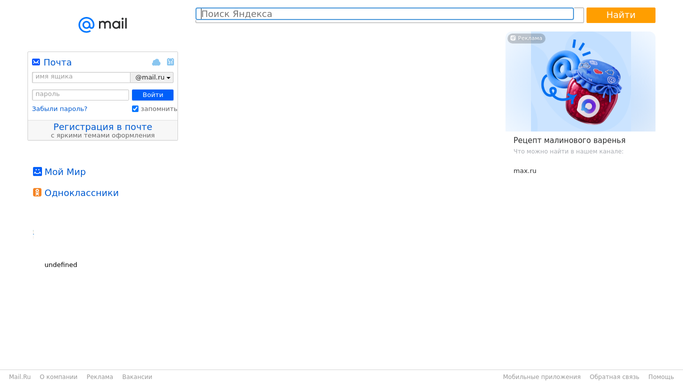
WebRun opens Mail.ru to rank senders by volume and opens. - Open Mail.ru and go through the past month of inbox mail grouped by sender
- Count messages received per sender and how many you opened or replied to
- Keep the senders with high volume and few or no opens, and note whether each offers an unsubscribe link
- Propose the better fix per sender: an unsubscribe, or a filter into a folder if you still want it occasionally
- Do not unsubscribe, delete, or create a filter. Every change waits for approval
Done when Every high volume sender is ranked by messages and opens, with a proposed fix and nothing changed.
-
2
Slack - post the cleanup list for approval
slack.com How to Automate Slack

WebRun opens Slack to post the cleanup list for approval. - Post the ranked list with messages received, opens, and the proposed action per sender
- Show the sender address so an important one is never confused with a lookalike
- Wait for you to say which to unsubscribe and which to filter. WebRun applies nothing on its own
Done when The cleanup list is posted with a proposed action per sender, awaiting your decision.
-
3
WhatsApp - send the shortlist
whatsapp.com How to Automate WhatsApp

WebRun opens WhatsApp to send the shortlist. - Send the top few senders and the total messages they added last month
- Include how much of the inbox they account for, so the size of the problem is clear
- Keep it short and point back to the Slack list for the full picture
Done when You have this week's shortlist on WhatsApp with the volume behind it.
How is each run configured?
Secure by default
Connect once, stays signed in
WebRun signs in once and keeps each session in a persistent environment, so every run picks up right where it left off.
Every action is checked against this policy before it runs.
Questions, answered
Will it unsubscribe me from anything on its own?
No. WebRun proposes and you approve. It never clicks an unsubscribe link, never creates a filter, and never deletes an email, so nothing leaves your inbox without your say.
Could it flag a sender I actually need?
It shows the full sender address, the message count, and your open count next to each proposal, so a low-open sender you still want is easy to keep with one decision.
Does it read the contents of my email?
It works from senders, volumes, and whether a message was opened. The list it posts holds sender names and counts, not the contents of your messages.
Related templates
Put this on autopilot.
Turn it on in minutes - or have our team set it up for you.