Chase outstanding facility account balances before they age further
Every Monday, WebRun opens FrameworkLTC, pulls outstanding balances for all active nursing facility accounts, cross-checks amounts in QuickBooks, sorts them by days outstanding and balance size, and drafts collection reminder emails in Gmail for your billing team to review, approve, and send before the week is out.
- No credit card
- Under $0.01 per run
- Cancel anytime
What does WebRun do on every run?
The exact actions WebRun takes, in order - in plain language, so you can adjust anything.
-
WebRun signs in and gets to work
Opens
www.frameworkltc.comin a real browser with your saved login - no setup, no API keys. -
1
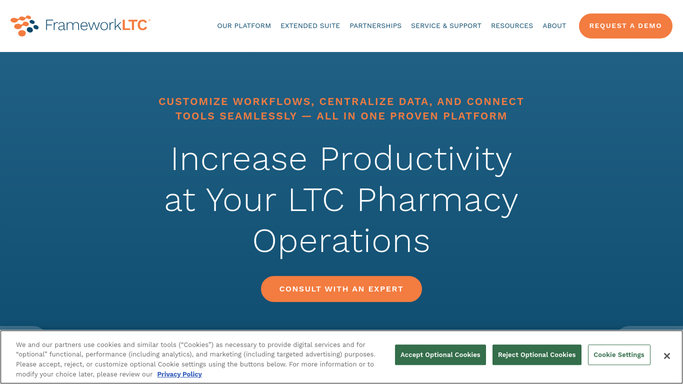
FrameworkLTC - pull outstanding facility balances
frameworkltc.com How to Automate FrameworkLTC

WebRun opens FrameworkLTC to pull outstanding facility balances. - Open FrameworkLTC and navigate to the facility billing and accounts section
- Pull all open balances for active nursing facility accounts
- Record the facility name, balance amount, invoice numbers, and days outstanding for each
Done when All outstanding facility balances are listed with their aging details.
-
2
QuickBooks - cross-check AR aging by account
- Open QuickBooks and pull the accounts-receivable aging report for the same facility accounts
- Cross-check the outstanding amounts against FrameworkLTC to confirm consistency
- Flag any discrepancies between the two systems for review
Done when AR balances are confirmed and discrepancies are flagged.
-
3
Gmail - draft collection reminders for billing team review
gmail.com How to Automate Gmail
WebRun opens Gmail to draft collection reminders for billing team review. - For each facility with a balance over 30 days outstanding, draft a polite collection reminder email
- Include the facility name, total balance, invoice references, and a request for payment or contact
- Save every email as a draft in Gmail for the billing team to review before sending. Do not send automatically
Done when A review-ready draft collection email exists in Gmail for each qualifying facility.

How do I automatically chase outstanding nursing facility account balances in my LTC pharmacy?
WebRun opens FrameworkLTC every Monday, pulls outstanding balances for all nursing facility accounts, cross-checks amounts in QuickBooks, and drafts Gmail collection reminders for your billing team to review and send. Balances over 30 days outstanding are prioritized so your team reaches every aging account before the week ends.
- Aging facility balances are chased every week without manual AR report pulling
- Billing team reviews ready-to-send drafts instead of writing reminders from scratch
- Discrepancies between FrameworkLTC and QuickBooks are surfaced before contacting facilities
Built for long-term care pharmacies · LTC pharmacy billing directors · accounts receivable teams · pharmacy business office managers
How is each run configured?
Secure by default
Connect once, stays signed in
WebRun signs in once and keeps each session in a persistent environment, so every run picks up right where it left off.
Every action is checked against this policy before it runs.
Questions, answered
Will it send the collection reminder emails to facilities without my approval?
No. Every collection email is saved as a Gmail draft for your billing team to review, edit, and send. Nothing goes to a facility contact automatically so your team controls every external communication.
What is the minimum balance threshold for generating a draft email?
By default it drafts reminders for balances over 30 days outstanding. You can adjust the aging threshold and minimum dollar amount to match your collections policy.
What if QuickBooks and FrameworkLTC show different balances?
Any discrepancy between the two systems is flagged in the chase list for your billing team to investigate before the draft emails are sent, so you never contact a facility with an incorrect balance.
Related templates
Put this on autopilot.
Turn it on in minutes - or have our team set it up for you.