Balance stock across stores before you reorder
Every Monday, WebRun opens Loyverse, compares stock on hand for the same item across every store you run, finds items overstocked in one location and running low in another, writes a transfer suggestion list to Google Sheets, and posts a Slack summary so you can move stock before buying more.
- No credit card
- Under $0.01 per run
- Cancel anytime
What does WebRun do on every run?
The exact actions WebRun takes, in order - in plain language, so you can adjust anything.
-
WebRun signs in and gets to work
Opens
r.loyverse.comin a real browser with your saved login - no setup, no API keys. -
1
Loyverse - compare stock across stores
loyverse.com How to Automate Loyverse

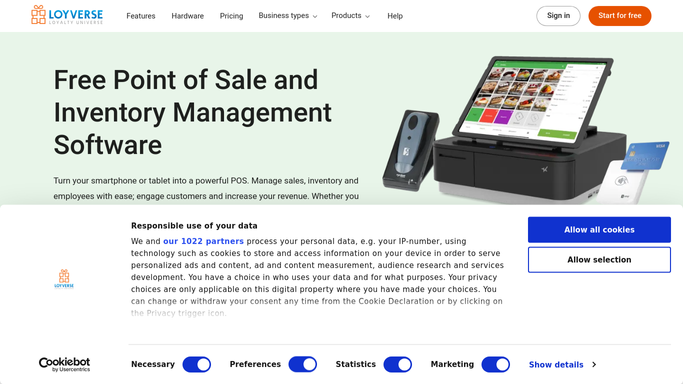
WebRun opens Loyverse to compare stock across stores. - Open the Loyverse back office and pull stock on hand per item per store
- Find items where one store is overstocked and another is at or below reorder point
- Capture the item, the surplus store, the short store, and a suggested transfer quantity
- Prioritize items that are completely out at the short store
Done when Every item with an imbalance across stores has a suggested transfer.
-
2
Google Sheets - build the transfer list
google.com How to Automate Google Sheets
WebRun opens Google Sheets to build the transfer list. - Open the Transfer Suggestions sheet
- Add a row per suggested transfer with item, from store, to store, and quantity
- Sort so out of stock destinations appear first
Done when This week's transfer suggestions are listed and sorted by urgency.
-
3
Slack - summarize what to move
slack.com How to Automate Slack
WebRun opens Slack to summarize what to move. - Post a short summary of how many transfers are suggested this week
- Name the most urgent transfer, the one fixing an out of stock item
- Link to the Google Sheet for the full list
Done when You have this week's transfer suggestion summary in Slack.


How do I balance stock across Loyverse stores before reordering?
Every Monday WebRun opens Loyverse, compares stock on hand for the same item across every store you run, and finds items overstocked in one location while running low in another. It writes a ranked transfer suggestion list to Google Sheets and posts a Slack summary of the most urgent moves, so you rebalance stock before ordering more.
- Stock imbalances across stores surface every Monday automatically
- Fewer emergency reorders because existing stock gets used first
- The most urgent, out of stock fixing transfer is always called out
Built for multi-store retailers · franchise owners · chain cafes · grocery chains
How is each run configured?
Secure by default
Connect once, stays signed in
WebRun signs in once and keeps each session in a persistent environment, so every run picks up right where it left off.
Every action is checked against this policy before it runs.
Questions, answered
Does it move the stock itself?
No. WebRun only suggests transfers based on stock levels across your stores. Creating and fulfilling the actual transfer in Loyverse stays a decision you make and action yourself.
How does it decide the transfer quantity?
It looks at the surplus above a healthy level at the overstocked store and the shortfall below reorder point at the other, and suggests a quantity that helps balance both without emptying either shelf.
Does this replace reordering from suppliers?
No. It runs alongside your normal reorder process and only flags what can be solved by moving existing stock first, so you buy less before you buy more.
Related templates
Put this on autopilot.
Turn it on in minutes - or have our team set it up for you.