Automated Loomly Content Calendar Gap Check
Once a week, WebRun opens your Loomly calendar, counts the posts scheduled for each day and each connected channel next week, writes the plan into an Airtable content tracker, and sends you a text listing any day or channel that is still empty while there is time to fix it.
How do I check whether next week's social calendar has gaps?
WebRun reviews your Loomly calendar a week ahead. It counts the posts scheduled for each day and channel, records the plan in an Airtable content tracker, and texts you through Twilio listing every empty day and every channel below its target cadence, while there is still time to fill the gaps.
- Empty days get spotted with a week of lead time, not on the morning
- Every channel is measured against its own cadence target
- Airtable holds a running record of planned versus actual posting
Built for social media managers · marketing agencies · in-house content teams · small brand marketers
What does WebRun do on every run?
The exact actions WebRun takes, in order - in plain language, so you can adjust anything.
-
WebRun signs in and gets to work
Opens
app.loomly.comin a real browser with your saved login - no setup, no API keys. -
1
Loomly - read next week's calendar
loomly.com
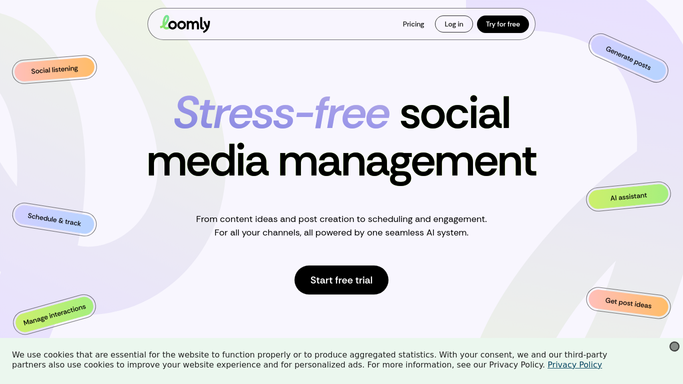
WebRun opens Loomly to read next week's calendar. - Open Loomly and move the calendar to next week
- Count scheduled and approved posts for each day and each connected channel
- Note posts still sitting in draft or pending approval, since those may not go out
- Compare the counts against your target cadence per channel
Done when Next week's post count is known for every day and channel.
-
2
Airtable - log the planned posts
airtable.com

WebRun opens Airtable to log the planned posts. - Open the content tracker base in Airtable
- Write one row per channel for the coming week with planned, drafted, and approved counts
- Mark rows where the planned count is below the target cadence
- Keep previous weeks intact so the cadence trend is visible
Done when Next week's plan is recorded per channel in Airtable.
-
3
Twilio - text you the gaps
twilio.com

WebRun opens Twilio to text you the gaps. - Send yourself a short text listing every empty day and every channel under cadence
- Include how many posts are still stuck in draft, since those are the quickest fix
- Send to the social lead only, and only when there is at least one gap
Done when You have been texted the gaps, or the week is fully covered and no text is sent.
How is each run configured?
Secure by default
Connect once, stays signed in
WebRun signs in once and keeps each session in a persistent environment, so every run picks up right where it left off.
Every action is checked against this policy before it runs.
Questions, answered
Will it create or publish posts to fill the gaps?
No. WebRun only reads the Loomly calendar and reports what is missing. It never writes, schedules, approves, or publishes a post, so nothing reaches an audience without a human doing it in Loomly.
Who gets the text message?
Only the internal number you configure, usually the social lead. The Twilio message is an internal alert to your own team and never goes to a customer or a follower.
Can I set a different cadence per channel?
Yes. Give WebRun a target per channel, for example five posts a week on LinkedIn and three on Instagram, and only channels under their own target are flagged.
Related templates
Put this on autopilot.
Turn it on in minutes - or have our team set it up for you.