Hand off new LogRocket errors to the right engineer
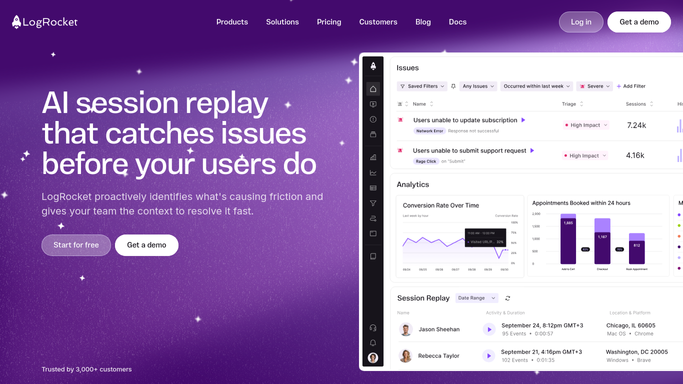
Every morning, WebRun opens LogRocket, ranks new and spiking JavaScript errors by session count and severity, opens a Trello card for the worst one with its session replay link, and posts it to Teams with the on-call engineer tagged.
- No credit card
- Under $0.01 per run
- Cancel anytime
What does WebRun do on every run?
The exact actions WebRun takes, in order - in plain language, so you can adjust anything.
-
WebRun signs in and gets to work
Opens
app.logrocket.comin a real browser with your saved login - no setup, no API keys. -
1
LogRocket - check new and spiking errors
logrocket.com

WebRun opens LogRocket to check new and spiking errors. - Open LogRocket and list new and spiking errors from the last 24 hours
- Rank them by session count and severity
- Pull the top session replay link for the worst offender
Done when Every new or spiking error has been ranked.
-
2
Trello - open a card for the top issue
trello.com How to Automate Trello
WebRun opens Trello to create a card for the top issue. - Open a card for the top-ranked error with the session replay link
- Add the affected page and browser details
Done when A Trello card exists for today's top error.
-
3
Microsoft Teams - hand it off to an engineer
microsoft.com How to Automate Microsoft Teams
WebRun posts to Microsoft Teams to hand it off to an engineer. - Post the card to the engineering channel and tag the on-call engineer
- Leave the assignment for them to accept. Never reassign someone else's open card
Done when The on-call engineer has been handed today's top error in Teams.


How do I make sure new LogRocket errors get assigned to someone every day?
WebRun checks LogRocket every morning for new and spiking JavaScript errors, ranks them by session count and severity, and opens a Trello card for the worst one with its session replay link. It posts the card to Microsoft Teams and tags the on-call engineer, so today's biggest error always has a name attached to it.
- The worst error each day always gets a named owner
- Session replay links are attached, no manual searching in LogRocket
- Nobody's open Trello card gets silently reassigned
Built for frontend engineering teams · engineering managers · QA teams · on-call engineers
How is each run configured?
Secure by default
Connect once, stays signed in
WebRun signs in once and keeps each session in a persistent environment, so every run picks up right where it left off.
Every action is checked against this policy before it runs.
Questions, answered
Will it assign the card without asking anyone?
It tags the on-call engineer in Teams with the card attached, but assignment happens when they accept it. WebRun never reassigns a card that's already someone's open work.
How does it pick the top error?
It ranks new and spiking errors by session count and severity from the last 24 hours, so the handoff is the error hitting the most users, not just the newest one.
What about errors that aren't urgent?
Only the top-ranked error gets a card and a handoff each morning. Lower-priority errors stay visible in LogRocket for the team to triage on their own schedule.
Related templates
Put this on autopilot.
Turn it on in minutes - or have our team set it up for you.