Remind reviewers of course approvals waiting on them
Every morning, WebRun opens Cognota, finds courses that have completed development and are waiting on a final internal approval, and posts a Microsoft Teams reminder tagging each reviewer with the course, its launch date, and how long it has been pending, so approvals do not become the bottleneck.
- No credit card
- Under $0.01 per run
- Cancel anytime
What does WebRun do on every run?
The exact actions WebRun takes, in order - in plain language, so you can adjust anything.
-
WebRun signs in and gets to work
Opens
app.cognota.comin a real browser with your saved login - no setup, no API keys. -
1
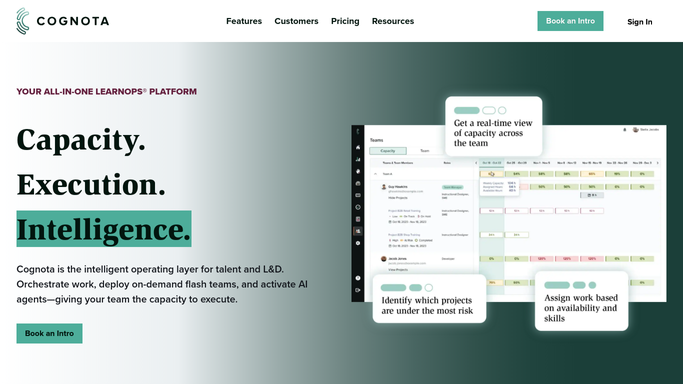
Cognota - find courses awaiting approval
cognota.com How to Automate Cognota

WebRun opens Cognota to find courses awaiting approval. - Open Cognota and list courses in an awaiting-approval stage
- For each, read the assigned internal reviewer, the launch date, and days pending
- Skip anything approved or returned with feedback since the last run
- Capture which reviewer each pending approval is waiting on
Done when Every pending approval is listed with its reviewer and days waiting.
-
2
Microsoft Teams - remind the assigned reviewers
teams.microsoft.com How to Automate Microsoft Teams
WebRun opens Microsoft Teams to remind the assigned reviewers. - Post a pending-approvals reminder to the internal L&D channel in Microsoft Teams
- Tag each reviewer with the specific courses awaiting their sign-off
- Show each course's launch date and how many days it has been pending
- Order the list so approvals blocking the nearest launch appear first
Done when Each reviewer has been reminded in Microsoft Teams of the approvals they owe.
How do I remind reviewers about course approvals waiting on them?
WebRun checks Cognota every morning for finished courses waiting on a final internal approval and posts a Microsoft Teams reminder tagging each assigned reviewer with what they owe, the launch date it affects, and how long it has waited. It never approves anything itself, so sign-off stays a human decision while nothing sits forgotten in the queue.
- Reviewers are nudged the day an approval starts holding up a launch
- Approvals blocking the nearest launch date are surfaced first
- Signed-off courses drop off the reminder automatically
Built for L&D managers · instructional design leads · training reviewers · learning operations teams
How is each run configured?
Secure by default
Connect once, stays signed in
WebRun signs in once and keeps each session in a persistent environment, so every run picks up right where it left off.
Every action is checked against this policy before it runs.
Questions, answered
Does it approve courses on its own?
No. It never approves anything. It only reminds the assigned reviewer in Microsoft Teams that a sign-off is waiting, so the approval decision always stays with the human who owns it.
Who gets the reminder?
Only the internal reviewer assigned to each pending course in Cognota, tagged in your team's Microsoft Teams channel. It is an internal nudge, so no learner or outside stakeholder is contacted.
Will it stop reminding once a course is approved?
Yes. It reads the live approval status in Cognota each morning and drops any course that has been signed off or returned with feedback, so reminders only cover what is genuinely still pending.
Related templates
Put this on autopilot.
Turn it on in minutes - or have our team set it up for you.