Flag training projects at risk of missing launch
Every morning, WebRun opens Cognota, reviews each active course project's remaining tasks against its launch date, calculates which projects are trending late, and posts an at-risk alert to Microsoft Teams with the reason each project is slipping so leads can intervene early.
- No credit card
- Under $0.01 per run
- Cancel anytime
What does WebRun do on every run?
The exact actions WebRun takes, in order - in plain language, so you can adjust anything.
-
WebRun signs in and gets to work
Opens
app.cognota.comin a real browser with your saved login - no setup, no API keys. -
1
Cognota - check project timelines
cognota.com How to Automate Cognota

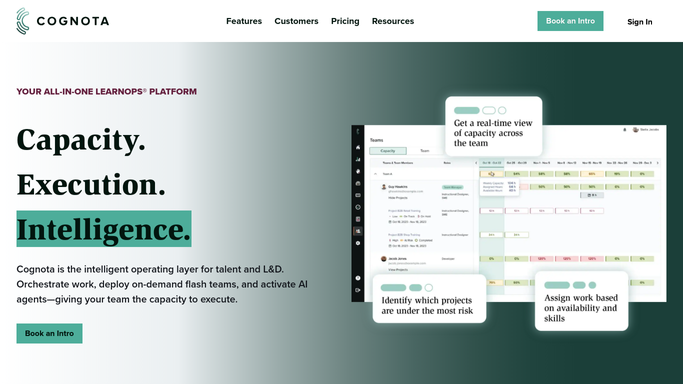
WebRun opens Cognota to check project timelines. - Open Cognota and list active course development projects with a launch date
- For each project, compare remaining open tasks and review cycles against days left until launch
- Flag projects where remaining work outpaces the time left, or a milestone is already overdue
- Capture the project owner, launch date, and the specific reason it is at risk
Done when Every project trending late against its launch date is identified with a reason.
-
2
Microsoft Teams - alert leads to at-risk projects
teams.microsoft.com How to Automate Microsoft Teams
WebRun opens Microsoft Teams to alert leads to at-risk projects. - Post an at-risk digest to the internal L&D channel in Microsoft Teams
- List each flagged project with its launch date, owner, and the reason it is slipping
- Sort by closest launch date first so the most urgent projects lead
- Note projects that recovered since the last run so the list reflects only current risk
Done when Leads have a current at-risk project list in Microsoft Teams for the day.
How do I catch training projects that are about to miss their launch date?
WebRun checks every active Cognota course project each morning, comparing remaining tasks and review cycles against the launch date to find projects trending late. It posts an at-risk digest to Microsoft Teams naming each slipping project, its owner, and the reason, sorted by nearest launch, so leads can intervene days before a deadline is actually missed.
- Slipping projects surface days before the launch date, not after
- Leads see why a project is at risk, not just that it is late
- Recovered projects clear the list automatically each morning
Built for L&D leads · instructional design managers · learning program managers · learning operations teams
How is each run configured?
Secure by default
Connect once, stays signed in
WebRun signs in once and keeps each session in a persistent environment, so every run picks up right where it left off.
Every action is checked against this policy before it runs.
Questions, answered
Does it change project dates or tasks in Cognota?
No. It only reads project timelines and posts an alert to Microsoft Teams. Any change to a launch date, scope, or assignment stays a human decision your lead makes in Cognota.
How does it decide a project is at risk?
It compares each project's remaining open tasks and review cycles against the days left until launch, and flags any project where the work outpaces the time or a milestone is already overdue.
Will a recovered project keep showing as at risk?
No. It recalculates every morning from the live project state, so a project that got back on track drops off the alert and the list reflects only current risk.
Related templates
Put this on autopilot.
Turn it on in minutes - or have our team set it up for you.