Get a weekly readout of your whole L&D portfolio
Every Monday, WebRun opens Cognota, rolls up all active learning projects by stage, counts what launched, advanced, or stalled in the past week, logs the snapshot to a Google Sheet, and posts a Slack portfolio digest so leaders see the whole L&D pipeline at a glance.
- No credit card
- Under $0.01 per run
- Cancel anytime
What does WebRun do on every run?
The exact actions WebRun takes, in order - in plain language, so you can adjust anything.
-
WebRun signs in and gets to work
Opens
app.cognota.comin a real browser with your saved login - no setup, no API keys. -
1
Cognota - roll up the project portfolio
cognota.com How to Automate Cognota

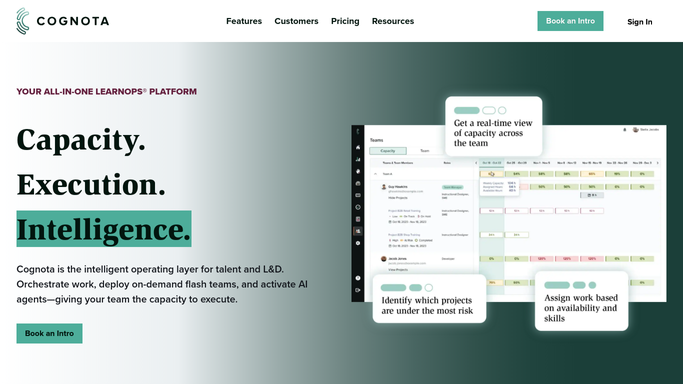
WebRun opens Cognota to roll up the project portfolio. - Open Cognota and list all active learning projects with their current stage
- Count projects by stage: intake, design, review, and launched
- Identify what launched, advanced a stage, or stalled since last Monday
- Note the total in-flight count and any projects flagged at risk
Done when The full portfolio is summarized by stage with the week's movement captured.
-
2
Google Sheets - record the weekly snapshot
google.com How to Automate Google Sheets
WebRun opens Google Sheets to record the weekly snapshot. - Open the Portfolio Snapshot sheet
- Append this week's counts per stage as a dated row
- Record launches, advances, and stalls for the week
- Keep prior weeks so pipeline throughput is trackable over time
Done when This week's portfolio snapshot is recorded in the Google Sheet.
-
3
Slack - post the portfolio digest
slack.com How to Automate Slack
WebRun opens Slack to post the portfolio digest. - Post a portfolio digest to the internal leadership Slack channel
- Lead with headline counts: in flight, launched this week, and at risk
- List what advanced and what stalled, with owners noted
- Link the Google Sheet for the full week-over-week trend
Done when Leaders have a Slack portfolio digest of the week in L&D.


How do I get a weekly summary of all our learning projects?
WebRun rolls up your whole Cognota project portfolio every Monday, counting work by stage and flagging what launched, advanced, or stalled in the past week. It records a dated snapshot to a Google Sheet and posts a Slack digest with headline counts and owners, so leaders see the entire L&D pipeline in one place without chasing status.
- Leaders open Monday to a full-pipeline readout without asking for it
- Launches, progress, and stalls are counted the same way every week
- Pipeline throughput builds into a quarter-long trend in one sheet
Built for L&D directors · learning operations leads · training program managers · CLOs
How is each run configured?
Secure by default
Connect once, stays signed in
WebRun signs in once and keeps each session in a persistent environment, so every run picks up right where it left off.
Every action is checked against this policy before it runs.
Questions, answered
Is the digest posted for me or sent to stakeholders?
It is posted to your internal leadership Slack channel only. It is a team readout, so nothing goes to a learner or outside stakeholder. Anything customer-facing would always be drafted for your approval instead.
Can I see how the pipeline changes over time?
Yes. It appends a dated snapshot to the Google Sheet every week, so you can track throughput, spot slowdowns, and show how many projects moved from intake to launch across the quarter.
What counts as stalled?
A project that has not advanced a stage or shown activity since the prior week's snapshot is marked stalled in the digest, so leaders can see where the pipeline is stuck without opening each project.
Related templates
Put this on autopilot.
Turn it on in minutes - or have our team set it up for you.