Catch a dead link on your bio page
Every Monday, WebRun opens your Linktree page, follows every link on it, checks whether each destination still loads or has been redirected, removed, or left showing an out of stock or expired page, logs each result in Airtable with the date checked, and writes a short fix list into Notion for the links that need attention.
- No credit card
- Under $0.01 per run
- Cancel anytime
How do I check that the links on my bio page still work?
WebRun audits your Linktree links every Monday. It opens each live link, checks whether the destination still loads or has broken, redirected, or expired, logs every result in Airtable with the date, and writes a fix list into Notion, so a dead link on your bio page is caught in days.
- A dead link is caught within a week instead of a quarter
- Every link carries a checked date and a status history
- The content team gets a fix list, not a vague warning
Built for creators · social media managers · small ecommerce brands · marketing teams
What does WebRun do on every run?
The exact actions WebRun takes, in order - in plain language, so you can adjust anything.
-
WebRun signs in and gets to work
Opens
linktr.ee/loginin a real browser with your saved login - no setup, no API keys. -
1
Linktree - open and test every link
linktr.ee
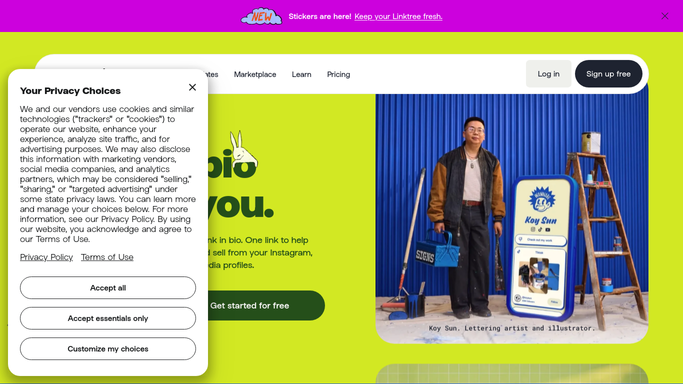
WebRun opens Linktree to open and test every link. - Open your Linktree admin and list every link that is currently live
- Record the link title, its destination address, and its position on the page
- Open each destination and note whether it loads, redirects elsewhere, or returns an error
- Flag destinations that load but show an expired, sold out, or removed message
Done when Every live link has been opened and given a status.
-
2
Airtable - log each link's status
airtable.com How to Automate Airtable

WebRun opens Airtable to log each link's status. - Open the link register base
- Add or update a row per link with its title, destination, status, and the date checked
- Mark links that failed last week and are still failing
- Keep the history so you can see when a link first broke
Done when Every link has a current status row in Airtable.
-
3
Notion - write the fix list
notion.so How to Automate Notion

WebRun opens Notion to write the fix list. - Open the content team page and add this week's fix list
- List only the links that are broken, redirected, or showing expired content, with what is wrong and how long it has been wrong
- Suggest a replacement destination where an obvious one exists, but leave the edit for a person to make in Linktree
Done when The fix list for this week is in Notion.
How is each run configured?
Secure by default
Connect once, stays signed in
WebRun signs in once and keeps each session in a persistent environment, so every run picks up right where it left off.
Every action is checked against this policy before it runs.
Questions, answered
Will it edit or remove links on my public page?
No. WebRun never changes what your audience sees. It reports broken links in Notion and Airtable, and a person makes the edit in Linktree, because a bio page is public and an automatic edit is not reversible in front of an audience.
What counts as a broken link?
A destination that fails to load, returns an error, redirects somewhere unrelated, or loads a page saying the item is sold out, expired, or no longer available.
How long does a check take?
It runs through your links one at a time each Monday morning, so a typical bio page with a handful of links is checked in minutes and the fix list is waiting when you start work.
Related templates
Put this on autopilot.
Turn it on in minutes - or have our team set it up for you.