Draft review requests for laundromat customers after pickup or in-store visits
When a wash-dry-fold or pickup/delivery order is marked complete in Cents, WebRun drafts a personalized SMS review request via Twilio and queues it in Slack for your approval. Nothing goes to the customer until you give the green light.
- No credit card
- Under $0.01 per run
- Cancel anytime
What does WebRun do on every run?
The exact actions WebRun takes, in order - in plain language, so you can adjust anything.
-
WebRun signs in and gets to work
Opens
www.trycents.comin a real browser with your saved login - no setup, no API keys. -
1
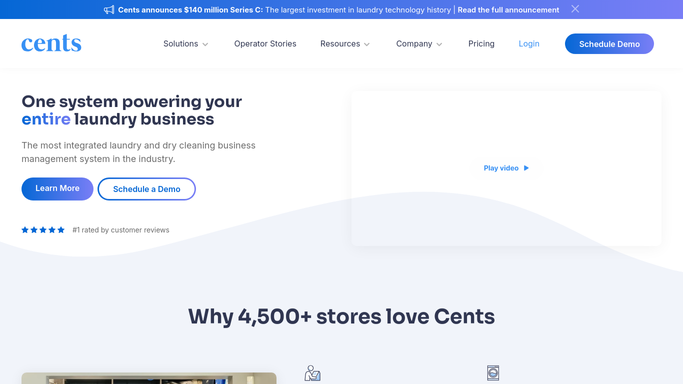
Cents - detect completed orders
trycents.com How to Automate Cents

WebRun opens Cents to detect completed orders. - Check for orders marked complete since the last run
- Capture the customer's name, order type (wash-dry-fold or pickup/delivery), and contact number
- Skip customers who received a review request in the past 60 days
Done when Every newly completed order is captured with the customer's details and eligibility confirmed.
-
2
Twilio - draft the SMS review request
twilio.com How to Automate Twilio
WebRun opens Twilio to draft the SMS review request. - Compose a short, personalized SMS mentioning the customer's name and the service they used
- Include a link to your Google or Yelp review page
- Save the draft message without sending it
Done when A personalized draft SMS is ready for each eligible completed order.
-
3
Slack - queue draft for manager approval
slack.com How to Automate Slack
WebRun opens Slack to queue draft for manager approval. - Post the draft message text and the customer's number to your review-approval Slack channel
- Wait for a manager to approve or edit before any message is sent
- Never send the SMS to the customer without explicit approval
Done when Each draft review request is visible in Slack and awaiting manager approval before any text is sent.


How do I automatically draft review requests after laundromat orders?
When a wash-dry-fold or pickup/delivery order is completed in Cents, WebRun drafts a personalized SMS review request via Twilio and posts it to your Slack approval channel. No message goes to a customer until a manager approves it, and repeat customers within 60 days are automatically skipped.
- Review requests go out after every completed order, not just when staff remember
- No customer receives a text without manager approval
- Frequent customers are skipped automatically to avoid over-messaging
Built for laundromat owners · laundromat managers · multi-location laundry operators
How is each run configured?
Secure by default
Connect once, stays signed in
WebRun signs in once and keeps each session in a persistent environment, so every run picks up right where it left off.
Every action is checked against this policy before it runs.
Questions, answered
Will it text customers automatically without my approval?
No. Every SMS is drafted and queued in Slack for a manager to approve. WebRun never sends a text to a customer on its own.
How does it avoid pestering frequent customers?
WebRun tracks when each customer last received a review request and skips anyone contacted in the past 60 days, so loyal regulars are not over-messaged.
Which review platforms does it link to?
You configure the review link (Google, Yelp, or both) once during setup, and WebRun uses that link in every draft message.
Related templates
Put this on autopilot.
Turn it on in minutes - or have our team set it up for you.