Suggest the next package before a client's series ends
Every Monday, WebRun opens Mangomint, finds clients with two or fewer sessions left on their current package, checks which other treatment areas they have asked about or never tried, drafts a personalized Gmail suggestion for a renewal or an add on package, and posts the queue to Slack for your team to review before anything sends.
- No credit card
- Under $0.01 per run
- Cancel anytime
What does WebRun do on every run?
The exact actions WebRun takes, in order - in plain language, so you can adjust anything.
-
WebRun signs in and gets to work
Opens
app.mangomint.comin a real browser with your saved login - no setup, no API keys. -
1
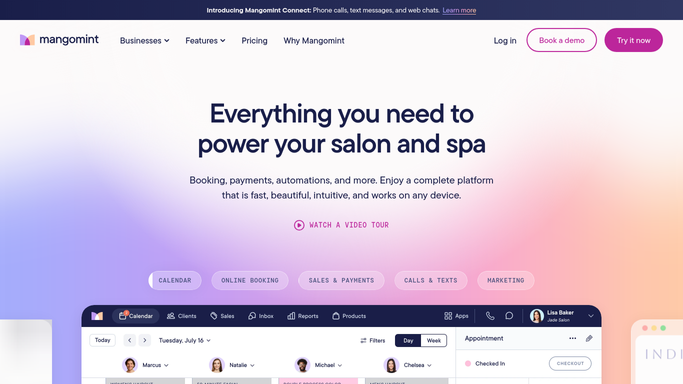
Mangomint - find clients finishing their package
mangomint.com How to Automate Mangomint

WebRun opens Mangomint to find clients finishing their package. - Open Mangomint and filter clients with two or fewer sessions left on an active package
- Note their current treatment area, results so far, and any other areas mentioned in consult notes
- Skip anyone who already purchased a renewal or add on package
Done when Every client finishing their package is listed with their current area and any add on interest.
-
2
Gmail - draft a personalized upsell suggestion
gmail.com How to Automate Gmail
WebRun opens Gmail to draft a personalized upsell suggestion. - Draft a personalized email suggesting a renewal for their current area or a package for a new area they asked about
- Reference their progress so far to reinforce the value of continuing
- Save every email as a draft and leave it unsent for team review
Done when A personalized, ready to review upsell draft exists for every client finishing their package.
-
3
Slack - post the queue for team review
slack.com How to Automate Slack
WebRun opens Slack to post the queue for team review. - Post the week's upsell queue to the sales or front desk channel
- Sort by clients with the fewest sessions remaining first
- Note which drafts suggest a renewal versus a new treatment area
Done when Your team has this week's upsell queue in Slack and can approve drafts before sending.


How do I suggest a package renewal before a laser client's series ends?
Every Monday, WebRun checks Mangomint for laser hair removal clients with two or fewer sessions left on their package. It drafts a personalized Gmail suggestion for each one, either renewing their current area or trying a new one they mentioned, and posts the full queue to Slack so your team can review before anything sends.
- Clients get a timely, relevant suggestion before their package quietly runs out
- Suggestions reflect what a client actually asked about instead of a generic pitch
- Clients who already renewed are excluded automatically from the queue
Built for laser hair removal studios · medical spas selling treatment packages · sales and front desk teams · studio owners growing package revenue
How is each run configured?
Secure by default
Connect once, stays signed in
WebRun signs in once and keeps each session in a persistent environment, so every run picks up right where it left off.
Every action is checked against this policy before it runs.
Questions, answered
Will it email clients a sales pitch without anyone checking it first?
No. Every upsell suggestion is saved as a Gmail draft and left unsent. Your team reviews and sends each one, so the tone and offer always get a final check.
How does it decide what to suggest?
It reads the client's current treatment area and progress in Mangomint, plus any other areas noted during consults, so the suggestion is either a logical renewal or a relevant new area, not a generic upsell.
What if a client already bought a renewal on their own?
It checks Mangomint for a purchased renewal or add on package before drafting a suggestion, so anyone who already converted is left off the queue.
Related templates
Put this on autopilot.
Turn it on in minutes - or have our team set it up for you.