Turn no-shows into rebooked appointments
Every morning, WebRun opens Mangomint, finds every client who no showed or canceled late the day before, drafts a friendly rebooking email in Gmail that names their treatment area and offers a couple of open slots, leaves every draft unsent for review, and sends your front desk a Telegram note that the queue is ready.
- No credit card
- Under $0.01 per run
- Cancel anytime
What does WebRun do on every run?
The exact actions WebRun takes, in order - in plain language, so you can adjust anything.
-
WebRun signs in and gets to work
Opens
app.mangomint.comin a real browser with your saved login - no setup, no API keys. -
1
Mangomint - find yesterday's no shows and late cancels
mangomint.com How to Automate Mangomint

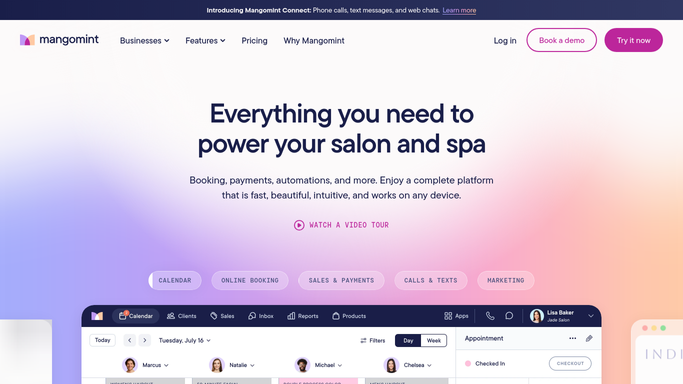
WebRun opens Mangomint to find yesterday's no shows and late cancels. - Open Mangomint and pull every appointment marked no show or canceled with less than 24 hours notice from the previous day
- Capture each client's treatment area, series progress, and contact details
- Check open slots in the next seven days for the same treatment area
Done when Every missed appointment from yesterday is listed with the client's treatment area and open slot options.
-
2
Gmail - draft a rebooking email
gmail.com How to Automate Gmail
WebRun opens Gmail to draft a rebooking email. - Draft a friendly rebooking email for each client naming their treatment area and offering two or three open slots
- Note their series progress so the tone reflects an ongoing treatment plan, not a first visit
- Save every email as a draft and leave it unsent for front desk review
Done when A ready to review rebooking email draft exists for every missed appointment.
-
3
Telegram - notify the front desk the queue is ready
telegram.org How to Automate Telegram
WebRun opens Telegram to notify the front desk the queue is ready. - Send the front desk a note that today's rebooking drafts are ready
- Include the count of no shows versus late cancels
- Flag any client on their second missed appointment in a row for a phone call instead of email
Done when Front desk knows the drafts are ready and which clients need a phone call instead.


How do I rebook laser hair removal clients who no show or cancel late?
Every morning, WebRun checks Mangomint for clients who no showed or canceled late the day before and drafts a friendly rebooking email in Gmail for each one, naming their treatment area and a couple of open slots. Every draft waits unsent for front desk review, and Telegram gets a note once the queue is ready.
- No show and late cancel clients get a same day rebooking offer instead of falling off the schedule
- Front desk reviews every email before it sends, so nothing feels automated
- Repeat no shows are flagged separately for a phone call, not another email
Built for laser hair removal studios · aesthetics clinics with recurring series · front desk teams · studio managers
How is each run configured?
Secure by default
Connect once, stays signed in
WebRun signs in once and keeps each session in a persistent environment, so every run picks up right where it left off.
Every action is checked against this policy before it runs.
Questions, answered
Will it email clients about a missed appointment without approval?
No. Every rebooking email is saved as a Gmail draft and left unsent. Your front desk reviews and sends each one, so no client gets an automated message they did not expect.
How does it choose which open slots to offer?
It checks Mangomint for open appointment slots in the same treatment area over the next seven days, so the draft only offers times that are actually bookable.
What if the same client misses two appointments in a row?
It flags repeat no shows separately in the Telegram note so front desk can call instead of relying on another email, since a pattern like that often needs a real conversation.
Related templates
Put this on autopilot.
Turn it on in minutes - or have our team set it up for you.