Get clients to use their package before it expires
Every morning, WebRun opens Mangomint, finds clients with a prepaid package expiring within 30 days who still have unused sessions, drafts a personalized Klaviyo reminder naming their remaining sessions and the expiry date, leaves every message queued for review, and logs the reminder queue to Google Sheets so your team can track who has booked.
- No credit card
- Under $0.01 per run
- Cancel anytime
What does WebRun do on every run?
The exact actions WebRun takes, in order - in plain language, so you can adjust anything.
-
WebRun signs in and gets to work
Opens
app.mangomint.comin a real browser with your saved login - no setup, no API keys. -
1
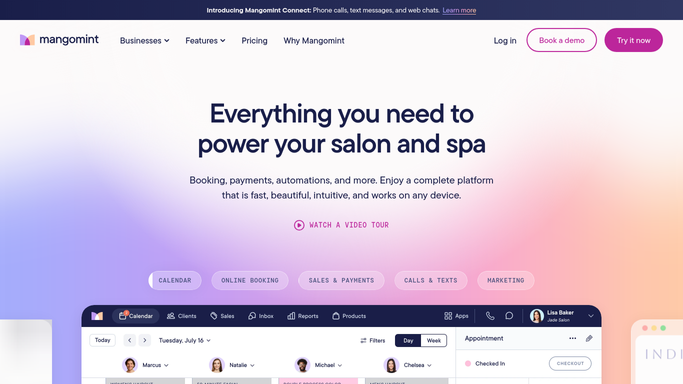
Mangomint - find packages expiring within 30 days
mangomint.com How to Automate Mangomint

WebRun opens Mangomint to find packages expiring within 30 days. - Open Mangomint and filter prepaid packages with an expiry date within the next 30 days
- Capture each client's remaining sessions, treatment area, and exact expiry date
- Skip anyone who already has a future appointment booked using their remaining sessions
Done when Every client with an expiring package is listed with their remaining sessions and expiry date.
-
2
Klaviyo - draft a personal expiry reminder
klaviyo.com How to Automate Klaviyo
WebRun opens Klaviyo to draft a personal expiry reminder. - Draft a personalized reminder for each client naming their remaining sessions, treatment area, and expiry date
- Put the most urgent expiries, those inside seven days, in a distinct higher urgency template
- Queue every draft in Klaviyo and leave it unsent for review
Done when A personalized, ready to review reminder draft exists for every client with an expiring package.
-
3
Google Sheets - log the reminder queue
google.com How to Automate Google Sheets
WebRun opens Google Sheets to log the reminder queue. - Log each client's expiry date, remaining sessions, and reminder status to the package expiry sheet
- Update the status once your team approves and sends a reminder
- Keep a running count of packages that expired unused for monthly review
Done when The expiry reminder queue is logged in Google Sheets with a status your team can update.


How do I remind clients before their prepaid laser package expires?
WebRun checks Mangomint every morning for clients with a prepaid laser package expiring within thirty days who still have sessions left. It drafts a personalized Klaviyo reminder naming their remaining sessions and expiry date, queues it unsent for review, and logs the full reminder queue to Google Sheets so your team can track who has booked.
- Clients get a personal nudge before unused sessions expire and revenue is lost
- The most urgent expiries, inside seven days, are flagged separately for faster follow up
- Google Sheets tracks packages that expire unused so the expiry window can be reviewed
Built for laser hair removal studios · medical spas selling prepaid packages · front desk and retention teams · multi location laser franchises
How is each run configured?
Secure by default
Connect once, stays signed in
WebRun signs in once and keeps each session in a persistent environment, so every run picks up right where it left off.
Every action is checked against this policy before it runs.
Questions, answered
Will it send expiry reminders to clients on its own?
No. Every reminder is queued as a draft in Klaviyo and left unsent. Your team reviews and sends each one, so nothing reaches a client automatically.
How urgent a reminder gets depends on what?
Packages expiring within seven days get a distinct, higher urgency draft compared to those with more time left, so your team can prioritize who to contact first.
What happens to a package that expires anyway?
WebRun keeps logging it in Google Sheets so your team has a running count of packages that expired unused, which is useful for spotting whether your expiry window needs adjusting.
Related templates
Put this on autopilot.
Turn it on in minutes - or have our team set it up for you.