Fill your quiet weekday slots before they go empty
Every Monday, WebRun opens Mangomint, checks booking levels for off peak slots such as weekday mornings in the week ahead, drafts a Klaviyo promo campaign offering a discount to fill the emptiest windows, queues it unsent for review, and sends your manager a Telegram note naming which slots need the boost most.
- No credit card
- Under $0.01 per run
- Cancel anytime
What does WebRun do on every run?
The exact actions WebRun takes, in order - in plain language, so you can adjust anything.
-
WebRun signs in and gets to work
Opens
app.mangomint.comin a real browser with your saved login - no setup, no API keys. -
1
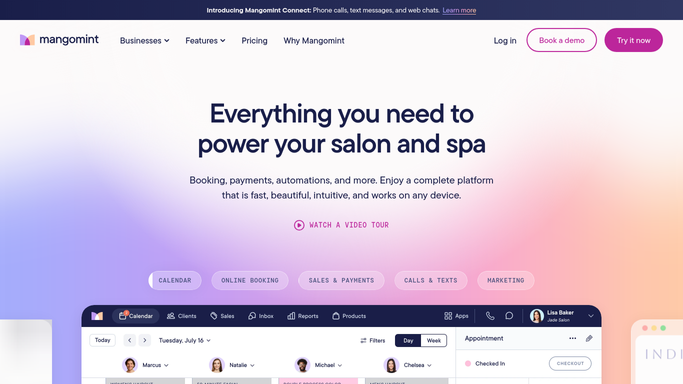
Mangomint - find under booked off peak slots
mangomint.com How to Automate Mangomint

WebRun opens Mangomint to find under booked off peak slots. - Open Mangomint and check booking levels for the week ahead against typical demand for each time slot
- Identify off peak windows, such as weekday mornings, running below your usual booking rate
- Pull the list of clients who have previously booked or expressed interest in flexible timing
Done when The week's under booked off peak slots are identified with how far below typical demand each one sits.
-
2
Klaviyo - draft a discount promo
klaviyo.com How to Automate Klaviyo
WebRun opens Klaviyo to draft a discount promo. - Draft a promo campaign offering a discount for booking one of the identified off peak slots
- Target clients with an upcoming or overdue session who have flexible availability on file
- Queue the campaign in Klaviyo and leave it unsent for review
Done when A ready to review promo draft exists, targeted at clients who could fill the quiet slots.
-
3
Telegram - alert the manager to the quietest slots
telegram.org How to Automate Telegram
WebRun opens Telegram to alert the manager to the quietest slots. - Send the manager a note naming the quietest off peak windows for the week
- Include the discount used in the draft so it can be checked against margin before sending
- Link to the Klaviyo queue for final review
Done when The manager knows which slots need the boost and can review the discount before it sends.


How do I fill under booked off peak slots at my laser hair removal studio?
Every Monday, WebRun checks Mangomint for off peak slots, such as weekday mornings, running below typical demand for the week ahead. It drafts a Klaviyo discount promo targeted at clients with flexible availability, queues it unsent for review, and sends your manager a Telegram note naming the quietest windows before anything goes out.
- Quiet weekday windows get a targeted discount push instead of sitting empty
- Only clients with flexible availability on file are targeted, not your full client list
- Managers review the discount and targeting before any promo reaches a client
Built for laser hair removal studios · medical spas with variable weekday demand · studio managers and owners · multi location laser franchises
How is each run configured?
Secure by default
Connect once, stays signed in
WebRun signs in once and keeps each session in a persistent environment, so every run picks up right where it left off.
Every action is checked against this policy before it runs.
Questions, answered
Will it send a discount offer to clients without approval?
No. WebRun only drafts the promo campaign in Klaviyo and queues it for review. Your manager checks the discount and targeting before anything sends.
How does it pick which slots count as off peak and under booked?
It compares this week's Mangomint bookings for each time window against your studio's typical demand for that same window, so a slot only gets flagged when it is genuinely running below normal, not just quiet by coincidence.
Could this promo undercut a client who would have booked at full price anyway?
It targets clients with flexible availability on file rather than blasting your full list, and your manager reviews the discount and targeting before it sends, so you can hold it back if it looks like it would just discount bookings you would have gotten anyway.
Related templates
Put this on autopilot.
Turn it on in minutes - or have our team set it up for you.