Turn new consults into a booked first session
Every morning, WebRun opens Mangomint, finds new clients who completed a consult or intake form the day before but have not yet booked a first session, drafts a personalized Klaviyo follow up naming their treatment area of interest, queues it unsent for review, and posts your sales or front desk team a Slack note when the queue is ready.
- No credit card
- Under $0.01 per run
- Cancel anytime
What does WebRun do on every run?
The exact actions WebRun takes, in order - in plain language, so you can adjust anything.
-
WebRun signs in and gets to work
Opens
app.mangomint.comin a real browser with your saved login - no setup, no API keys. -
1
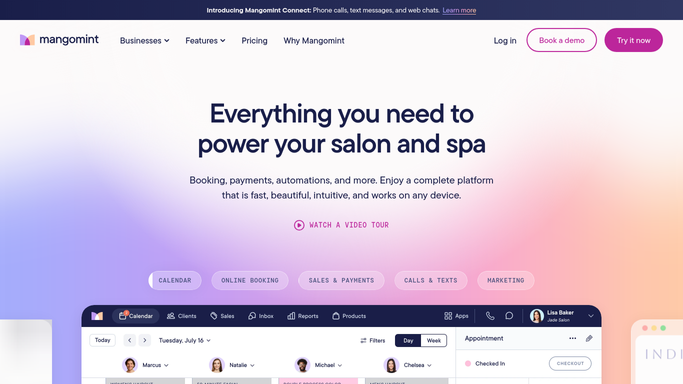
Mangomint - find new consults without a booked first session
mangomint.com How to Automate Mangomint

WebRun opens Mangomint to find new consults without a booked first session. - Open Mangomint and pull consults and completed intake forms from the previous day
- Filter out anyone who already booked a first session
- Capture each lead's treatment area of interest and any notes from their intake form
Done when Every new consult without a booked first session is listed with their area of interest.
-
2
Klaviyo - draft a personalized follow up
klaviyo.com How to Automate Klaviyo
WebRun opens Klaviyo to draft a personalized follow up. - Draft a personalized follow up for each lead referencing their treatment area of interest and consult notes
- Include a clear prompt to book their first session and answer one common hesitation, such as how many sessions a full series takes
- Queue every message in Klaviyo and leave it unsent for review
Done when A personalized, ready to review follow up draft exists for every consult without a booking.
-
3
Slack - notify the team the queue is ready
slack.com How to Automate Slack
WebRun opens Slack to notify the team the queue is ready. - Post a count of how many follow up drafts are ready
- Flag any lead who consulted more than three days ago as higher priority
- Link straight to the Klaviyo queue
Done when Your team knows the follow up drafts are ready and which leads are the priority.


How do I follow up with laser hair removal consults who have not booked yet?
Each morning, WebRun checks Mangomint for new clients who completed a consult or intake form the day before but have not booked a first laser session. It drafts a personalized Klaviyo follow up referencing their treatment area of interest, queues it unsent for review, and tells your team in Slack once the drafts are ready.
- New leads get a personalized nudge to book while their consult is still fresh
- Follow ups reference the client's actual treatment interest instead of a generic template
- Leads who convert on their own are dropped from the queue automatically
Built for laser hair removal studios · medical spas running free consults · sales and front desk teams · multi location aesthetics clinics
How is each run configured?
Secure by default
Connect once, stays signed in
WebRun signs in once and keeps each session in a persistent environment, so every run picks up right where it left off.
Every action is checked against this policy before it runs.
Questions, answered
Will it message new leads without anyone reviewing first?
No. WebRun only drafts each follow up in Klaviyo and queues it for review. Nothing reaches a lead until your team approves and sends it.
How does it personalize the follow up?
It pulls the lead's treatment area of interest and any notes from their Mangomint intake form, so the draft speaks to what they actually asked about in their consult.
What happens once a lead books their first session?
It checks Mangomint for a booked first session before drafting a follow up, so anyone who already converted is removed from the queue automatically.
Related templates
Put this on autopilot.
Turn it on in minutes - or have our team set it up for you.