Fix attendance exceptions before they reach payroll
Every morning, WebRun opens Lark, reads yesterday's attendance records for each shift group, finds missed clock ins, missed clock outs, and absences with no matching leave request, writes the exceptions per person into Airtable, and files a dated correction sheet to Google Drive.
- No credit card
- Under $0.01 per run
- Cancel anytime
How do I catch attendance exceptions before payroll runs?
WebRun opens Lark each morning and reads yesterday's attendance records across your shift groups, finding missed punches, late arrivals, and absences with no matching leave request. It writes the exceptions per person into Airtable and files a dated correction sheet to Google Drive before payroll runs.
- Exceptions are corrected the next day, not at month end
- Every exception names the exact record to fix
- Corrections are grouped by manager so nobody sifts the whole company
Built for HR teams · office managers · payroll administrators · operations managers
What does WebRun do on every run?
The exact actions WebRun takes, in order - in plain language, so you can adjust anything.
-
WebRun signs in and gets to work
Opens
www.larksuite.comin a real browser with your saved login - no setup, no API keys. -
1
Lark - read yesterday's attendance
larksuite.com
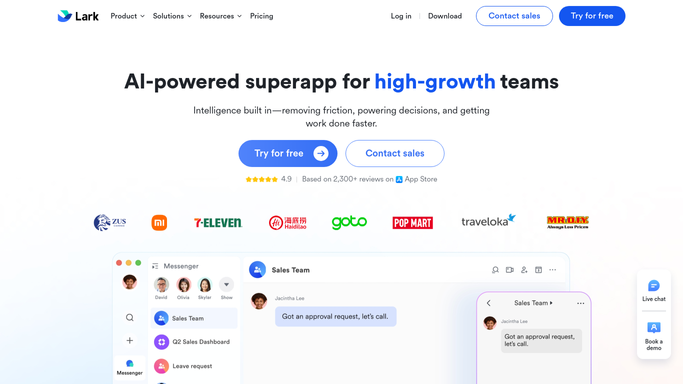
WebRun opens Lark to read yesterday's attendance. - Open Lark and go to the Attendance app for yesterday's date
- Read the clock in and clock out records for each shift group
- Flag missed punches, late arrivals beyond your grace period, and early departures
- Cross-check absences against approved leave requests and flag any with no match
- Record the employee, the shift group, and the exact record needing correction
Done when Every attendance exception from yesterday is listed with the person and record.
-
2
Airtable - list the exceptions per person
airtable.com How to Automate Airtable

WebRun opens Airtable to list the exceptions per person. - Open your attendance exceptions base in Airtable
- Write one row per exception: date, employee, shift group, exception type, and the record to fix
- Group rows by manager so each one sees only their own team's corrections
- Mark exceptions resolved since the previous run as closed
Done when Airtable holds yesterday's exceptions grouped by manager.
-
3
Google Drive - file the correction sheet
drive.google.com How to Automate Google Drive

WebRun opens Google Drive to file the correction sheet. - Save a dated correction sheet into your payroll folder in Google Drive
- Include the full exception list plus a running count for the current pay period
- Keep one file per day so the payroll run has a clean audit trail
Done when Yesterday's correction sheet is filed in the payroll folder.
How is each run configured?
Secure by default
Connect once, stays signed in
WebRun signs in once and keeps each session in a persistent environment, so every run picks up right where it left off.
Every action is checked against this policy before it runs.
Questions, answered
Will it edit an attendance record or approve leave?
No. WebRun reads the attendance data and lists what needs correcting. Editing a punch record or approving a leave request stays a manager action inside Lark.
Does it message the employee about their missed punch?
No. The exception list goes to Airtable and Google Drive for managers and HR. WebRun does not message staff in Lark or anywhere else.
What counts as an exception?
A missed clock in or clock out, a late arrival beyond your grace period, an early departure, or an absence with no approved leave request behind it.
Related templates
Put this on autopilot.
Turn it on in minutes - or have our team set it up for you.