Catch a Landingi conversion rate drop fast
Every hour, WebRun opens Landingi, checks each published landing page's conversion rate against its recent average, saves a snapshot of the page to Google Drive the moment a page drops well below normal, and posts a Slack alert naming the page so someone can check what changed.
- No credit card
- Under $0.01 per run
- Cancel anytime
What does WebRun do on every run?
The exact actions WebRun takes, in order - in plain language, so you can adjust anything.
-
WebRun signs in and gets to work
Opens
app.landingi.comin a real browser with your saved login - no setup, no API keys. -
1
Landingi - check conversion rates
landingi.com

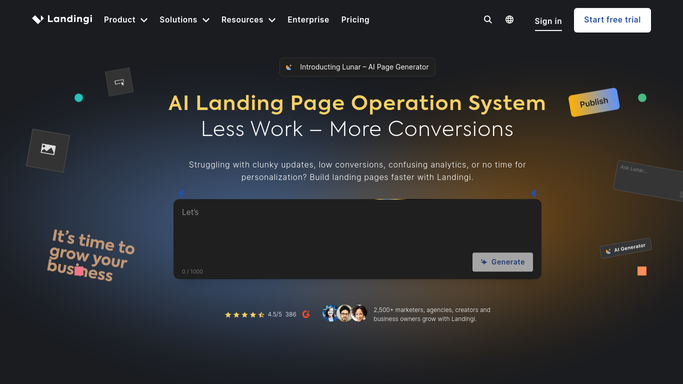
WebRun opens Landingi to check conversion rates. - Open Landingi and review every published landing page
- Read each page's current conversion rate
- Compare it against that page's recent average
Done when Every published page's conversion rate is checked against its recent average.
-
2
Google Drive - save a page snapshot
drive.google.com How to Automate Google Drive
WebRun opens Google Drive to save a page snapshot. - Save a snapshot of any page that has dropped well below its recent average
- Include the current and recent average conversion rate
- Keep prior snapshots for comparison
Done when A snapshot is saved to Drive for every page that has dropped.
-
3
Slack - alert on the drop
slack.com How to Automate Slack
WebRun opens Slack to alert on the drop. - Post a Slack alert naming any page whose conversion rate has dropped
- Include the current rate next to its recent average
- Post nothing when every page is performing normally
Done when The team has a Slack alert for any page that dropped.


How do I catch a Landingi landing page conversion drop quickly?
Every hour, WebRun checks each Landingi landing page's conversion rate against its own recent average, saves a snapshot of any page that has dropped well below normal to Google Drive, and posts a Slack alert naming the page. A quiet conversion problem gets caught within the hour instead of a full week of lost signups.
- Conversion drops get caught within the hour they start
- Every drop comes with a saved snapshot for context
- No landing page quietly underperforms for a full week unnoticed
Built for performance marketers · growth teams · agencies running client landing pages · conversion rate optimizers
How is each run configured?
Secure by default
Connect once, stays signed in
WebRun signs in once and keeps each session in a persistent environment, so every run picks up right where it left off.
Every action is checked against this policy before it runs.
Questions, answered
Does it fix or change the landing page?
No. WebRun only detects the drop, saves a snapshot for reference, and alerts the team. Editing the page stays a human decision.
What counts as a drop worth alerting on?
A conversion rate clearly below that specific page's own recent average, not a single fixed number applied to every page.
Why save a snapshot to Drive?
So whoever investigates can see exactly what the page looked like when the drop was detected, in case it gets edited before they check.
Related templates
Put this on autopilot.
Turn it on in minutes - or have our team set it up for you.