Keep your own dated record of balances and open orders
Every night, WebRun signs into KuCoin, reads your account balances by asset, lists the orders still open with their trading pair and price, captures the day's deposits and withdrawals, appends a dated snapshot to Airtable, and sends you the headline figures on Telegram. Nothing is ever traded or moved.
- 7-day free trial
- Under $0.01 per run
- Cancel anytime

What does WebRun do on every run?
The exact actions WebRun takes, in order - in plain language, so you can adjust anything.
-
WebRun signs in and gets to work
Opens
www.kucoin.comin a real browser with your saved login - no setup, no API keys. -
1
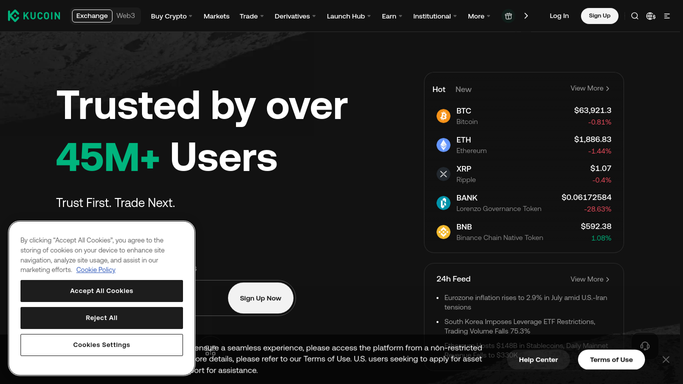
KuCoin - read balances, orders and transfers
kucoin.com

WebRun opens KuCoin to read balances, orders and transfers. - Sign into KuCoin and read the account balances for every asset you hold
- List the open orders with their trading pair, side, price and remaining size
- Capture the orders that filled today from the order history
- Capture the day's deposits and withdrawals with their asset, amount and timestamp
- Read only. Never place, amend or cancel an order, and never start a deposit or withdrawal
Done when Tonight's balances, open orders, fills and transfers have all been read.
-
2
Airtable - append the dated snapshot
airtable.com How to Automate Airtable
WebRun opens Airtable to append the dated snapshot. - Append one dated row per asset to your balances table with the amount held
- Write open orders into their own table with pair, side, price, size and the date first seen
- Log today's fills, deposits and withdrawals as separate records so the history reconciles
- Skip anything already logged so a rerun does not create duplicate rows
Done when Airtable holds tonight's dated balance snapshot plus today's orders and transfers.
-
3
Telegram - send the headline figures
telegram.org How to Automate Telegram
WebRun opens Telegram to send the headline figures. - Send yourself tonight's headline figures
- List the assets held and how each moved since the previous night
- Give the count of orders still open and how long the oldest has been sitting
- Note any deposit or withdrawal recorded today so an unexpected transfer is obvious
Done when You have tonight's balance and order summary in Telegram.

How do I keep a dated record of my crypto balances and open orders?
WebRun logs your KuCoin position every night. It reads your balances by asset, the orders still open with their pair and price, and the day's fills, deposits and withdrawals, appends a dated snapshot to Airtable, and sends the headline figures to Telegram. It never trades or moves funds.
- A dated balance history exists for tax and reconciliation work
- Open orders that have sat for weeks become visible
- Every deposit and withdrawal is on record the night it happens
Built for crypto investors · traders · accountants · treasury teams
How is each run configured?
Secure by default
Connect once, stays signed in
WebRun signs in once and keeps each session in a persistent environment, so every run picks up right where it left off.
Every action is checked against this policy before it runs.
Questions, answered
Will it trade, cancel orders or move funds?
No. WebRun reads your KuCoin account and writes the numbers to Airtable. It never places or cancels an order, never deposits or withdraws, and never converts an asset. Every trading and funding decision stays entirely yours.
Why keep a nightly snapshot at all?
Because exchanges show you the position now, not what you held on a given date. A dated row per asset each night gives you the history that tax and reconciliation work needs, without exporting statements months later.
What if the run happens twice in one night?
Each record is matched against what is already in Airtable before anything is written, so a rerun updates the existing dated snapshot rather than adding a second row and double counting the day's transfers.
Related templates
Put this on autopilot.
Turn it on in minutes - or have our team set it up for you.