Automated Kraken Withdrawal Activity Alerts
Every hour, WebRun opens Kraken, reads the account activity log for new withdrawals, newly added withdrawal addresses, and new device logins, and the moment it finds one, sends you a Telegram message and a Twilio text with the details so you can confirm it was you or react immediately if it was not.
How do I get alerted to unusual withdrawal activity on Kraken?
WebRun checks your Kraken account activity every hour and watches for new withdrawals, newly added withdrawal addresses, and logins from unrecognized devices. The moment it finds one, it sends a Telegram message and a backup text through Twilio with the details, so you can confirm it was you or react fast if it was not, without watching the account yourself.
- A suspicious withdrawal is flagged within the hour instead of discovered days later
- New withdrawal addresses never go unnoticed, since every one triggers an alert
- Routine logins from known devices stay quiet, so real alerts do not get ignored
Built for crypto investors · security-conscious traders · long-term holders · crypto fund custodians
What does WebRun do on every run?
The exact actions WebRun takes, in order - in plain language, so you can adjust anything.
-
WebRun signs in and gets to work
Opens
www.kraken.comin a real browser with your saved login - no setup, no API keys. -
1
Kraken - read account activity log
kraken.com
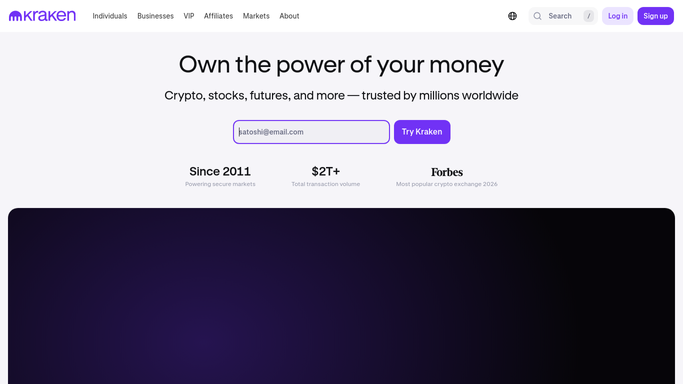
WebRun opens Kraken to read account activity log. - Open Kraken and read the account activity and security log since the last check
- Look for any withdrawal, new withdrawal address, or new device login
- Note the amount, asset, and time for any withdrawal found
Done when Every withdrawal, new address, or new login since the last check is captured.
-
2
Telegram - send the activity alert
telegram.org

WebRun opens Telegram to send the activity alert. - Send a message describing exactly what activity was found and when
- Ask you to confirm it was you if it was a withdrawal or new address
- Send nothing when the hourly check finds no new activity
Done when A Telegram alert went out for every real event, and silence otherwise.
-
3
Twilio - send a backup text
twilio.com

WebRun opens Twilio to send a backup text. - Send a short backup text with the same alert for withdrawals and new addresses specifically
- Skip the text for routine logins from a known device
- Keep the message short enough to read from a lock screen
Done when A text backs up every withdrawal or new-address alert in case Telegram is missed.
How is each run configured?
Secure by default
Connect once, stays signed in
WebRun signs in once and keeps each session in a persistent environment, so every run picks up right where it left off.
Every action is checked against this policy before it runs.
Questions, answered
Can WebRun cancel a withdrawal or lock my Kraken account?
No. WebRun only reads your account activity and alerts you to it. It never cancels a withdrawal, never changes a security setting, and never moves funds itself. Any action you need to take is done by you, directly on Kraken.
What exactly triggers an alert?
A new withdrawal, a newly added withdrawal address, or a login from a device WebRun has not seen before. Routine logins from your known devices do not trigger anything.
How fast will I know if it was not me?
Within the hour, since Kraken is checked every hour and the alert goes out the same run it is found. For extra speed you can shorten the check interval.
Related templates
Put this on autopilot.
Turn it on in minutes - or have our team set it up for you.