See how fast your social team really replies
Every Monday morning, WebRun opens Khoros, reads last week's inbound volume, response times and backlog by channel, writes a one-page scorecard into a dated Google Drive folder, and texts you the three numbers that moved most.
- No credit card
- Under $0.01 per run
- Cancel anytime
How do I get a weekly report on my social team's response times?
WebRun opens Khoros every Monday, reads last week's inbound volume, first response time, resolution time and open backlog for each social channel, files a dated scorecard in Google Drive, and texts you the headline numbers through Twilio, so your team's real responsiveness is visible without anyone building a report.
- The week's response times land in your hand before Monday standup
- Every channel is measured, including the quiet ones
- A dated scorecard history builds in Drive with no manual export
Built for social media managers · community teams · customer care leads · brand agencies
What does WebRun do on every run?
The exact actions WebRun takes, in order - in plain language, so you can adjust anything.
-
WebRun signs in and gets to work
Opens
www.khoros.comin a real browser with your saved login - no setup, no API keys. -
1
Khoros - read last week's response figures
khoros.com
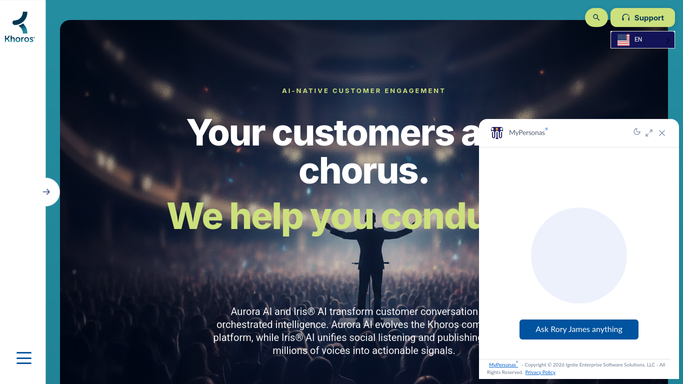
WebRun opens Khoros to read last week's response figures. - Open Khoros and set the reporting window to the last full week
- Read inbound conversation volume, first response time and resolution time by channel
- Note the open backlog and how it compares with the week before
Done when Last week's volume, response and backlog figures are captured for every channel.
-
2
Google Drive - file the weekly scorecard
drive.google.com How to Automate Google Drive

WebRun opens Google Drive to file the weekly scorecard. - Open the social reporting folder in Google Drive
- Create a dated document with the week's figures per channel and the change against the prior week
- Keep the previous weeks in place so the trend stays readable
Done when This week's scorecard is filed in Google Drive next to the earlier ones.
-
3
Twilio - text you the headline numbers
twilio.com How to Automate Twilio

WebRun opens Twilio to text you the headline numbers. - Compose a short text with volume, average first response time and open backlog
- Send it to your own number and the team leads you list
- Include the Drive link so the full scorecard is one tap away
Done when You have Monday's headline numbers as a text with a link to the full report.
How is each run configured?
Secure by default
Connect once, stays signed in
WebRun signs in once and keeps each session in a persistent environment, so every run picks up right where it left off.
Every action is checked against this policy before it runs.
Questions, answered
Will it reply to anyone on social?
No. WebRun only reads reporting figures in Khoros. It never opens a conversation, never posts publicly, and never replies to a customer. The only outbound message is an internal text to numbers you list.
Who gets the Monday text?
Only the numbers you add to the recipient list, usually you and your team leads. WebRun drafts the text and sends it to that fixed internal list, so it can never reach a customer.
What if a channel had no activity last week?
It still appears in the scorecard with a zero, so a quiet channel reads as quiet rather than disappearing and looking like a reporting gap.
Related templates
Put this on autopilot.
Turn it on in minutes - or have our team set it up for you.