Set up a clean ledger for every new customer
The moment a new customer's first udhaar or cash entry is recorded in Khatabook, WebRun checks that the name, phone number, and opening balance are all filled in, flags anything missing back to you, and logs the new customer to a master registry in Google Sheets so your customer list never falls out of sync with your ledger.
- No credit card
- Under $0.01 per run
- Cancel anytime
What does WebRun do on every run?
The exact actions WebRun takes, in order - in plain language, so you can adjust anything.
-
WebRun signs in and gets to work
Opens
khatabook.comin a real browser with your saved login - no setup, no API keys. -
1
Khatabook - spot the new customer's first entry
khatabook.com How to Automate Khatabook

WebRun opens Khatabook to spot the new customer's first entry. - Watch for a customer entry with no prior transaction history
- Check that the name, phone number, and opening balance are filled in
- Flag back to you any new entry missing a phone number or amount
Done when The new customer's first entry has been found and checked for completeness.
-
2
Google Sheets - log the customer to your registry
google.com How to Automate Google Sheets
WebRun opens Google Sheets to log the customer to your registry. - Add the new customer's name, phone number, opening balance, and the date to your master registry
- Sort the registry so the newest customers sit at the top
- Note in the registry if anything was flagged as incomplete
Done when The new customer is logged in your master registry in Google Sheets.
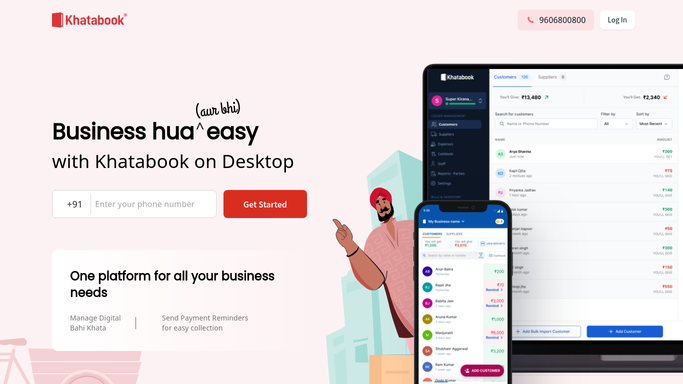

How do I keep a clean record of every new udhaar customer?
WebRun watches Khatabook for every new customer's first udhaar or cash entry, checks that the name, phone number, and opening balance are filled in, and flags anything missing. It then logs the new customer to a master registry in Google Sheets with the date, so your customer list stays complete and in sync with your ledger without any manual copying.
- Every new customer is logged the same way, with nothing left blank unnoticed
- Your customer registry never drifts out of sync with Khatabook
- Incomplete entries are flagged instead of quietly sitting in your ledger
Built for kirana store owners · small retailers · wholesale traders · shop staff onboarding customers
How is each run configured?
Secure by default
Connect once, stays signed in
WebRun signs in once and keeps each session in a persistent environment, so every run picks up right where it left off.
Every action is checked against this policy before it runs.
Questions, answered
Does it message the new customer?
No. This workflow only checks and logs the entry inside your own records. It never contacts the customer directly.
What counts as a new customer?
Anyone whose first entry in Khatabook has no prior transaction history against their name or phone number.
What happens if the entry is missing details?
It is still logged, but flagged in the registry so you can go back into Khatabook and fill in the missing name, phone number, or amount.
Related templates
Put this on autopilot.
Turn it on in minutes - or have our team set it up for you.