Export your Keplr staking rewards across every chain
Every Monday, WebRun opens Keplr, reads staking positions and accrued rewards across every connected Cosmos chain, logs each to an Airtable base, and emails you a summary so staking income across chains stays easy to track in one place.
- No credit card
- Under $0.01 per run
- Cancel anytime
How do I track my Keplr staking rewards across multiple Cosmos chains?
WebRun reads your Keplr staking positions every Monday, capturing validator, staked amount, and accrued rewards across every connected Cosmos chain. It logs each position to an Airtable base tagged by chain and emails a summary of total rewards, so tracking staking income across multiple chains takes no manual checking.
- Staking rewards across every connected chain are logged the same week they accrue
- One running export replaces checking each chain separately
- Unbonding positions are tracked alongside active stake for full context
Built for Cosmos ecosystem users · Keplr wallet users · crypto stakers · DeFi users
What does WebRun do on every run?
The exact actions WebRun takes, in order - in plain language, so you can adjust anything.
-
WebRun signs in and gets to work
Opens
www.keplr.appin a real browser with your saved login - no setup, no API keys. -
1
Keplr - check staking positions and rewards
keplr.app
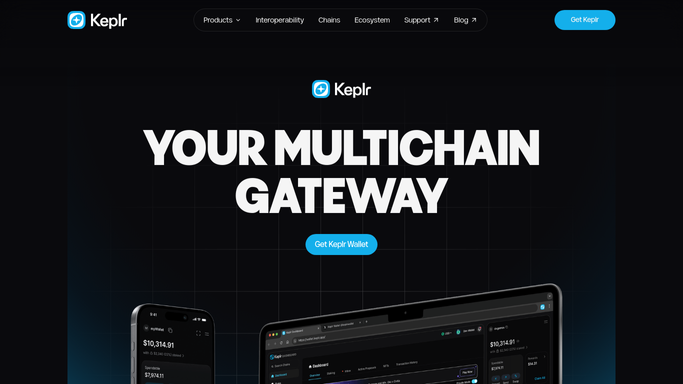
WebRun opens Keplr to check staking positions and rewards. - Open Keplr and review staking positions across every connected chain
- Capture the validator, staked amount, and accrued rewards for each
- Note any unbonding positions and when they complete
Done when Every staking position and its current rewards across every chain is recorded.
-
2
Airtable - log each position
airtable.com How to Automate Airtable

WebRun opens Airtable to log each position. - Open the staking rewards base
- Update or add a record for each position with this week's rewards figure
- Tag each record by chain for easy filtering
Done when The base reflects every current staking position across every chain.
-
3
Gmail - email the rewards summary
gmail.com How to Automate Gmail

WebRun opens Gmail to email the rewards summary. - Draft a summary email listing total rewards accrued by chain this week
- Send it to yourself as a dated record
- Never stake, unstake, or move funds in Keplr
Done when Your inbox has this week's rewards summary and Airtable has the matching records.
How is each run configured?
Secure by default
Connect once, stays signed in
WebRun signs in once and keeps each session in a persistent environment, so every run picks up right where it left off.
Every action is checked against this policy before it runs.
Questions, answered
Does WebRun stake or unstake tokens on my behalf?
No. WebRun only reads your existing staking positions and reported rewards. It never stakes, unstakes, claims rewards, or moves any assets in your Keplr wallet.
Why track across chains in one place?
A multi chain wallet like Keplr can have positions spread across many Cosmos chains, so a single Airtable base with a chain tag gives you one place to see total staking income instead of checking each chain separately.
What about unbonding positions?
It notes any position currently unbonding and when it completes, so you know which rewards figures reflect active stake versus stake in the process of leaving.
Related templates
Put this on autopilot.
Turn it on in minutes - or have our team set it up for you.