Back up your saved fiddles into a snippet library
Every night, WebRun signs in to JSFiddle, goes through your saved fiddles, copies the HTML, CSS, and JavaScript panels of anything new or changed into an Airtable snippet library with the title and version, and updates a searchable index page in Notion so a snippet can be found by title months later.
- No credit card
- Under $0.01 per run
- Cancel anytime
How do I back up my saved JSFiddle code into a snippet library?
WebRun signs in to JSFiddle every night and copies the HTML, CSS, and JavaScript from every new or changed fiddle into an Airtable snippet library, keeping earlier versions. It then updates a Notion index grouped by topic, so you can find a snippet by title and still have the code if a fiddle disappears.
- Every fiddle's code is safe in a library you own
- Earlier versions are kept so a working snippet is never lost
- Snippets are findable by title and topic months later
Built for front-end developers · engineering teams · bootcamp instructors · technical writers
What does WebRun do on every run?
The exact actions WebRun takes, in order - in plain language, so you can adjust anything.
-
WebRun signs in and gets to work
Opens
jsfiddle.net/user/loginin a real browser with your saved login - no setup, no API keys. -
1
JSFiddle - read your saved fiddles
jsfiddle.net
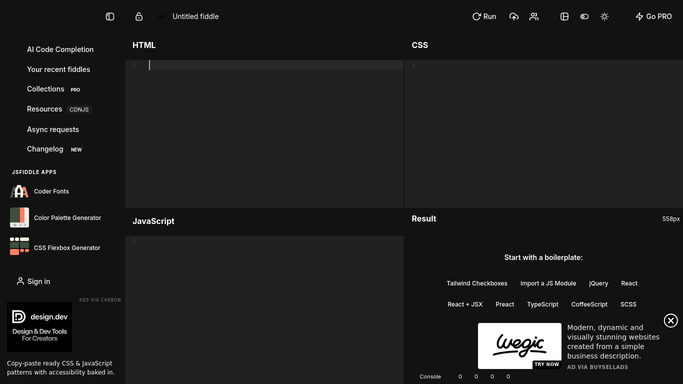
WebRun opens JSFiddle to read your saved fiddles. - Sign in to JSFiddle and open your saved fiddles, newest first
- For each fiddle capture the title, the URL, the version, and the date it was last saved
- Copy the contents of the HTML, CSS, and JavaScript panels for any fiddle that is new or has changed since the last run
Done when Every new or changed fiddle has its title, version, and all three code panels captured.
-
2
Airtable - store the code by title
airtable.com How to Automate Airtable

WebRun opens Airtable to store the code by title. - Open your snippet library base in Airtable and match each fiddle by its URL
- Add a row for a new fiddle, or add a new version row when the code changed, keeping the older version intact
- Store the title, the URL, the version, the three code panels, and the date captured on every row
Done when The Airtable library holds the current code for every saved fiddle, with earlier versions kept.
-
3
Notion - keep a searchable index
notion.so How to Automate Notion

WebRun opens Notion to keep a searchable index. - Update the snippet index page in Notion with one line per fiddle: title, what it does, and a link to the Airtable row
- Group the lines by topic tag so a snippet can be found without remembering its exact title
- Note which fiddles changed tonight and how many versions each now has
Done when The Notion index lists every fiddle with its topic and a link into the library.
How is each run configured?
Secure by default
Connect once, stays signed in
WebRun signs in once and keeps each session in a persistent environment, so every run picks up right where it left off.
Every action is checked against this policy before it runs.
Questions, answered
Will it delete or change my fiddles?
No. WebRun only reads your saved fiddles and copies the code out. Nothing on JSFiddle is edited, forked, deleted, or made public, so the originals stay exactly as you left them.
What happens when I update a fiddle?
It adds a new version row in Airtable and keeps the earlier one, so you can compare against what the code looked like before and never lose a working version.
Does it publish my code anywhere?
No. The code goes into your own Airtable base and your own Notion page. Nothing is posted publicly, shared to a link, or sent outside the tools you connected.
Related templates
Put this on autopilot.
Turn it on in minutes - or have our team set it up for you.