See every new fiddle your team creates
Every morning, WebRun opens JSFiddle, checks your team's collection for fiddles created or forked since yesterday, saves a backup export of each one to a Google Drive folder in case it's ever deleted, and posts the day's digest to Slack so teammates can see what was prototyped without hunting through the collection.
- No credit card
- Under $0.01 per run
- Cancel anytime
What does WebRun do on every run?
The exact actions WebRun takes, in order - in plain language, so you can adjust anything.
-
WebRun signs in and gets to work
Opens
jsfiddle.net/user/loginin a real browser with your saved login - no setup, no API keys. -
1
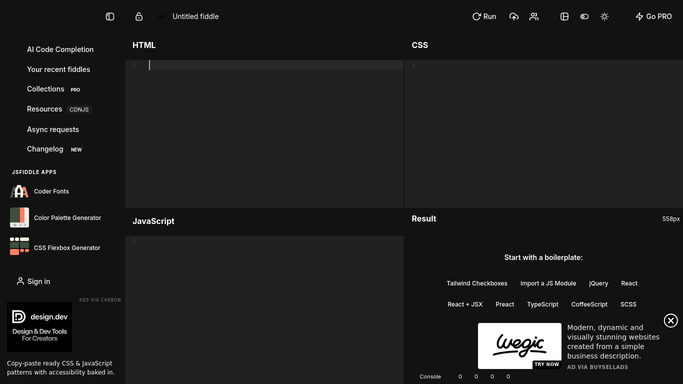
JSFiddle - check for new fiddles and forks
jsfiddle.net

WebRun opens JSFiddle to check for new fiddles and forks. - Open the team's JSFiddle collection and check for new fiddles and forks since yesterday
- Capture the fiddle title and creator for each
- Note which ones were forked from an existing fiddle
Done when Every new or forked fiddle since yesterday is listed with its creator.
-
2
Google Drive - back up the day's fiddles
drive.google.com How to Automate Google Drive
WebRun opens Google Drive to back up the day's fiddles. - Save a backup export of each new fiddle to the team's Drive folder
- Name the file with the fiddle title and creator
- Keep a running folder so nothing is lost if a fiddle is later deleted
Done when Every new fiddle since yesterday has a backup saved to Drive.
-
3
Slack - post the digest to the team
slack.com How to Automate Slack
WebRun opens Slack to post the digest to the team. - Post the day's digest of new fiddles to the team channel
- Name the creator and title for each
- Link each fiddle so teammates can open it directly
Done when The team channel has today's digest of JSFiddle activity.


How do I keep track of new JSFiddle activity across my team?
WebRun checks your team's JSFiddle collection every morning for fiddles created or forked since yesterday. It saves a backup export of each one to Google Drive so nothing is lost if it's later deleted, and posts the day's digest to Slack, so teammates see what was prototyped without hunting through the collection themselves.
- New prototypes are visible every morning without checking manually
- Fiddles are backed up automatically so nothing is lost for good
- Teammates see what was tried without digging through the collection
Built for frontend teams · developer relations · educators · hackathon and prototyping teams
How is each run configured?
Secure by default
Connect once, stays signed in
WebRun signs in once and keeps each session in a persistent environment, so every run picks up right where it left off.
Every action is checked against this policy before it runs.
Questions, answered
Does it create or edit any fiddles?
No. WebRun only reads your team's existing collection. Creating or editing a fiddle is always done by a person.
Why back up fiddles to Drive?
So a prototype isn't lost for good if it's ever deleted or the collection changes. The backup keeps a copy outside JSFiddle itself.
What happens on a day with no new fiddles?
The digest simply reports there was no new activity, and no backups are created.
Related templates
Put this on autopilot.
Turn it on in minutes - or have our team set it up for you.