Keep your JobKorea applicants organized for you
Every hour, WebRun opens JobKorea, finds new applications on your open roles, creates a Trello card for each candidate in the right pipeline column, and sends your hiring manager a WhatsApp message when a priority role gets a new applicant.
- No credit card
- Under $0.01 per run
- Cancel anytime
What does WebRun do on every run?
The exact actions WebRun takes, in order - in plain language, so you can adjust anything.
-
WebRun signs in and gets to work
Opens
www.jobkorea.co.krin a real browser with your saved login - no setup, no API keys. -
1
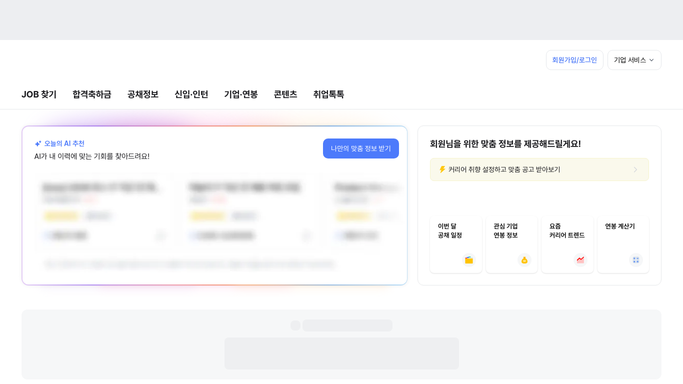
JobKorea - find new applications
jobkorea.co.kr

WebRun opens JobKorea to find new applications. - Open JobKorea and check each open role for new applicants
- Capture the candidate's name, role, and resume link
- Skip anyone already added to the board
Done when Every new applicant since the last run has been captured.
-
2
Trello - add each candidate to the pipeline
trello.com How to Automate Trello
WebRun updates Trello to add each candidate to the pipeline. - Create a card for each new candidate in the New Applicants column
- Attach the resume link and the role applied for
Done when Every new applicant has a Trello card in the right column.
-
3
WhatsApp - flag priority roles
whatsapp.com How to Automate WhatsApp
WebRun messages via WhatsApp to flag priority roles. - Send a WhatsApp message when a priority role gets a new applicant
- Include the candidate's name and a link to their Trello card
Done when The hiring manager has been notified of every priority-role applicant.


How do I keep my JobKorea applicants organized without checking the site all day?
WebRun checks JobKorea every hour for new candidate applications on your open roles. It creates a Trello card for each candidate in your hiring pipeline, then sends your hiring manager a WhatsApp message whenever a priority role gets a new applicant, so urgent roles get fast attention while every candidate still lands in an organized pipeline.
- Every applicant lands in your pipeline within the hour
- Priority roles get an instant WhatsApp alert
- No candidate gets lost between JobKorea and your hiring board
Built for HR teams · talent acquisition · recruiting agencies · small hiring teams
How is each run configured?
Secure by default
Connect once, stays signed in
WebRun signs in once and keeps each session in a persistent environment, so every run picks up right where it left off.
Every action is checked against this policy before it runs.
Questions, answered
Will it message candidates on JobKorea?
No. WebRun only reads applications and organizes them. Any reply to a candidate is something you send yourself from JobKorea.
Which roles trigger the WhatsApp alert?
Only the priority roles you mark. Every other role still gets a Trello card, just without the extra WhatsApp ping.
What happens to candidates already in the pipeline?
WebRun checks the board first and skips anyone already added, so nobody gets a duplicate card.
Related templates
Put this on autopilot.
Turn it on in minutes - or have our team set it up for you.