Never run out of your regular JioMart supply order
Every Monday, WebRun opens JioMart, checks your recent order history against the standing supply list you buy on a schedule, books a reorder reminder on Google Calendar for anything due, and pings the person responsible on WhatsApp so the cart gets built before you run out.
- No credit card
- Under $0.01 per run
- Cancel anytime
How do I make sure I never run out of my recurring JioMart supply order?
WebRun checks your JioMart order history every Monday against the supply items you reorder on a schedule, books a Google Calendar reminder for anything due, and messages the person responsible on WhatsApp with the list and usual quantities. Nothing is ordered automatically, so a small business never runs out while staying in control of what it buys.
- Recurring supplies never quietly run out
- The reorder list is ready before the shopping cart is opened
- Order history sets the reorder cycle automatically, no guessing
Built for small business office managers · kirana and retail resellers · home based businesses · India ecommerce buyers
What does WebRun do on every run?
The exact actions WebRun takes, in order - in plain language, so you can adjust anything.
-
WebRun signs in and gets to work
Opens
jiomart.comin a real browser with your saved login - no setup, no API keys. -
1
JioMart - check order history against your supply list
jiomart.com
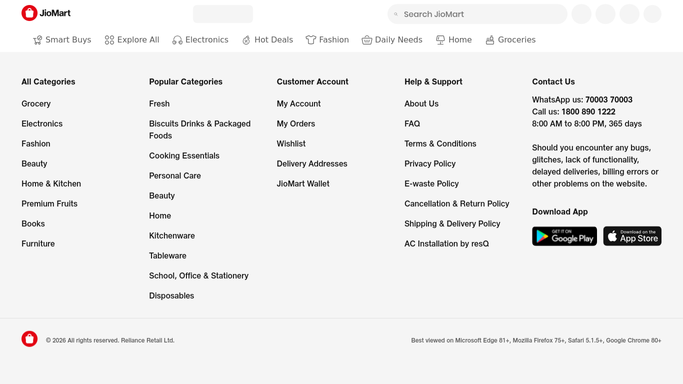
WebRun opens JioMart to check order history against your supply list. - Open your JioMart order history
- Compare the last order date for each supply list item against its usual reorder cycle
- Flag any item due or overdue for reorder
Done when Every supply list item has been checked against its reorder cycle.
-
2
WhatsApp - notify the person responsible
whatsapp.com How to Automate WhatsApp

WebRun opens WhatsApp to notify the person responsible. - Send a message listing the items due for reorder
- Include the usual quantity ordered last time
- Note if anything is now overdue past its usual cycle
Done when The person responsible has this week's reorder list on WhatsApp.
-
3
Google Calendar - book a reorder reminder
calendar.google.com How to Automate Google Calendar

WebRun opens Google Calendar to book a reorder reminder. - Create a reminder event listing the items due for reorder
- Set it for the same morning each week
- Include the usual quantity for each item
Done when A reorder reminder is on the calendar for anything due.
How is each run configured?
Secure by default
Connect once, stays signed in
WebRun signs in once and keeps each session in a persistent environment, so every run picks up right where it left off.
Every action is checked against this policy before it runs.
Questions, answered
Does it place the JioMart order automatically?
No. It only flags what's due and reminds the person responsible. The order is placed by a person, in the JioMart cart, every time.
How does it know when something is due for reorder?
It reads your past order history in JioMart and learns the usual gap between orders for each item, then flags anything past that cycle.
Who receives the WhatsApp reminder?
Whoever you set as the person responsible, an office manager or ops lead, so the reminder always reaches someone who can act on it.
Related templates
Put this on autopilot.
Turn it on in minutes - or have our team set it up for you.