Export VPN seat usage before you overpay
Every Monday, WebRun opens your IPVanish account, checks every seat's assigned user and last connection date, exports the usage list to Airtable, and writes a short summary note to Notion so unused seats are easy to spot.
- No credit card
- Under $0.01 per run
- Cancel anytime
What does WebRun do on every run?
The exact actions WebRun takes, in order - in plain language, so you can adjust anything.
-
WebRun signs in and gets to work
Opens
www.ipvanish.comin a real browser with your saved login - no setup, no API keys. -
1
IPVanish - check seat usage
ipvanish.com

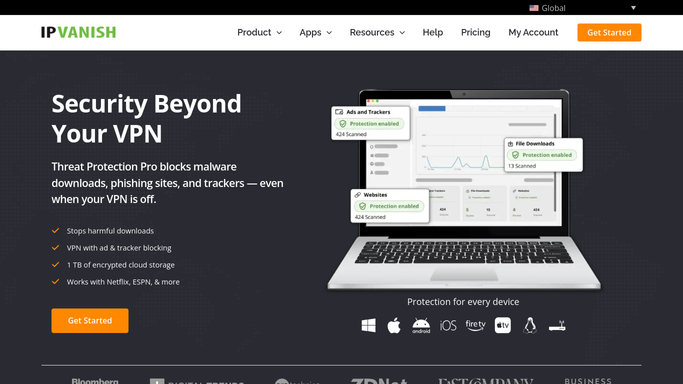
WebRun opens IPVanish to check seat usage. - Open the IPVanish account dashboard
- Check each seat's assigned user and last connection date
- Note any seat with no connection in the last 30 days
Done when Every seat has a checked user and last connection date.
-
2
Airtable - export the usage list
airtable.com How to Automate Airtable
WebRun opens Airtable to export the usage list. - Open the seat usage base in Airtable
- Export each seat as a row with user, last connection, and status
- Replace last week's export so the base always reflects current usage
Done when This week's full seat usage list is in Airtable.
-
3
Notion - write the summary note
notion.so How to Automate Notion
WebRun opens Notion to write the summary note. - Open the license summary page in Notion
- Write a short note with the total seat count and how many are unused past 30 days
- Leave cancelling or reassigning a seat to whoever owns the account
Done when The Notion summary reflects this week's usage.


How do I find unused IPVanish VPN seats before renewal?
WebRun checks your IPVanish account every Monday for each seat's assigned user and last connection date, exports the full usage list to Airtable, and writes a Notion summary flagging seats unused for 30 days. It only reads connection dates, so cancelling or reassigning a seat stays your own call.
- Unused seats are visible every week before renewal
- One Airtable export always reflects current usage
- Cancelling or reassigning a seat always stays your own decision
Built for IT admins · operations managers · small business owners · remote teams
How is each run configured?
Secure by default
Connect once, stays signed in
WebRun signs in once and keeps each session in a persistent environment, so every run picks up right where it left off.
Every action is checked against this policy before it runs.
Questions, answered
Will WebRun cancel or reassign an unused seat?
No. WebRun only exports usage and flags seats unused for 30 days. Cancelling or reassigning a seat is left for the account owner to do.
How is a seat considered unused?
No connection recorded in the last 30 days, read directly from IPVanish's own connection history for that seat.
Does WebRun see browsing activity or connection destinations?
No. It only reads whether and when a seat last connected. It never reads what sites or traffic passed through the VPN.
Related templates
Put this on autopilot.
Turn it on in minutes - or have our team set it up for you.