Export your weekly invoice run and catch failed sends
Every week, WebRun gathers every invoice Invoice Ninja sent, exports the report to Google Drive, and texts you if a recurring invoice or a payment failed to go out.
- No credit card
- Under $0.01 per run
- Cancel anytime
How do I catch failed Invoice Ninja recurring invoices right away?
WebRun gathers every invoice Invoice Ninja sent or attempted each week, exports the full list to a spreadsheet in Google Drive, and checks recurring invoices and payments for failures. If anything failed to send, it texts you the client and reason immediately, so a bounced recurring invoice never goes unnoticed until reconciliation.
- Failed recurring invoices get caught the same day, not at month end
- Every week's invoice run is archived automatically in Drive
- You're only texted when something actually needs attention
Built for freelancers · small agencies · self hosted Invoice Ninja users · bookkeepers
What does WebRun do on every run?
The exact actions WebRun takes, in order - in plain language, so you can adjust anything.
-
WebRun signs in and gets to work
Opens
app.invoicing.coin a real browser with your saved login - no setup, no API keys. -
1
Invoice Ninja - gather this week's invoices and flag failures
invoiceninja.com
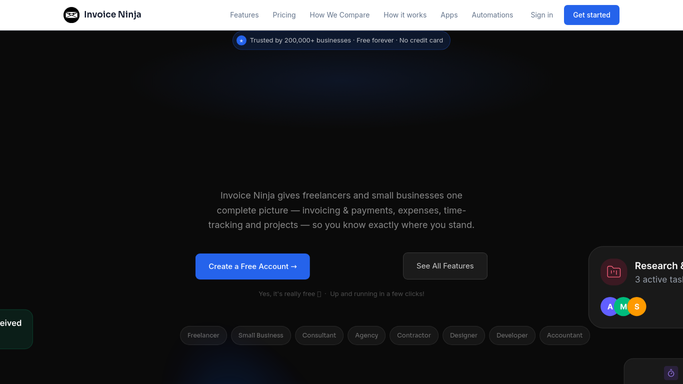
WebRun opens Invoice Ninja to gather this week's invoices and flag failures. - Open Invoice Ninja and list every invoice sent or due to send this week
- Check recurring invoices and payment attempts for a failed or bounced status
- Note the client and amount for anything that failed
Done when Every invoice sent this week is accounted for, including any failures.
-
2
Google Drive - export the report to Drive
drive.google.com How to Automate Google Drive

WebRun opens Google Drive to export the report to Drive. - Export the week's invoice list to a spreadsheet
- Save it to your accounting folder in Drive
- Include invoice number, client, amount, and status for each
Done when This week's invoice report is saved in Drive.
-
3
Twilio - text you if anything failed to send
twilio.com How to Automate Twilio

WebRun opens Twilio to text you if anything failed to send. - If any invoice or recurring payment failed to send, send a short text
- Name the client and what failed
- Skip the text entirely when nothing failed
Done when You're texted only when a send or payment actually failed.
How is each run configured?
Secure by default
Connect once, stays signed in
WebRun signs in once and keeps each session in a persistent environment, so every run picks up right where it left off.
Every action is checked against this policy before it runs.
Questions, answered
Does it retry a failed invoice send for me?
No. It only detects and reports the failure by text. Retrying or fixing the send stays a manual step in Invoice Ninja.
Will I get texted every week even if nothing failed?
No. The text only fires when a send or recurring payment actually failed, so a clean week produces just the Drive report.
What's in the exported report?
Every invoice sent or due that week with its number, client, amount, and status, pulled straight from Invoice Ninja's live records.
Related templates
Put this on autopilot.
Turn it on in minutes - or have our team set it up for you.