Reconcile segmentation policy violations before they spread
Every morning, WebRun opens Illumio, checks for connections that violate your segmentation policy or reach an unsanctioned destination, logs each violation to Notion for review, and exports the full list to Google Sheets.
- No credit card
- Under $0.01 per run
- Cancel anytime
What does WebRun do on every run?
The exact actions WebRun takes, in order - in plain language, so you can adjust anything.
-
WebRun signs in and gets to work
Opens
www.illumio.comin a real browser with your saved login - no setup, no API keys. -
1
Illumio - check policy violations
illumio.com

WebRun opens Illumio to check policy violations. - Open the Illumio policy compliance view
- Check connections flagged as violating segmentation policy in the last 24 hours
- Note the source, destination, and which rule was violated
Done when Every flagged connection from the last 24 hours has been read.
-
2
Notion - log each violation for review
notion.so How to Automate Notion
WebRun opens Notion to log each violation for review. - Open the policy violation review database in Notion
- Add a row for each new violation with source, destination, and rule
- Mark previously logged violations that have since cleared as resolved
Done when Every new violation has a Notion row awaiting review.
-
3
Google Sheets - export the full violation list
google.com How to Automate Google Sheets
WebRun opens Google Sheets to export the full violation list. - Open the violation tracking sheet
- Export the full current violation list so the count reconciles with Illumio
- Never change a segmentation rule or block a connection itself
Done when The sheet reflects every open violation as of this run.
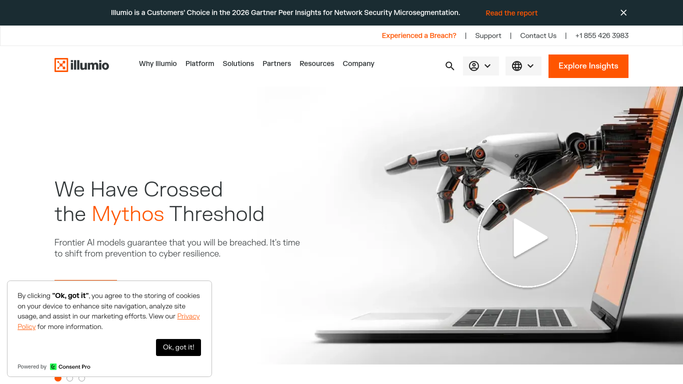


How do I reconcile Illumio segmentation policy violations across my team?
WebRun checks Illumio every morning for connections that violate your segmentation policy, logs each one to Notion for review with the source, destination, and rule, and exports the full current list to Google Sheets. It only reads policy violations, so changing a rule stays with your security team.
- Policy violations are reconciled every morning, not discovered later
- Every violation has a review row until it clears in Illumio
- Rule changes and blocking always stay a human decision
Built for network security teams · zero trust architects · security operations · cloud infrastructure teams
How is each run configured?
Secure by default
Connect once, stays signed in
WebRun signs in once and keeps each session in a persistent environment, so every run picks up right where it left off.
Every action is checked against this policy before it runs.
Questions, answered
Will WebRun block a connection or change a segmentation rule?
No. WebRun only reads flagged violations and logs them for review. Changing a rule or blocking traffic is always done by your security team in Illumio.
How does a violation get marked resolved?
WebRun checks each run whether Illumio still flags the connection. Once it no longer appears as a violation, WebRun marks the Notion row resolved.
Does the Google Sheets export match Illumio exactly?
Yes. It is a direct export of the current open violations, so the count in the sheet always reconciles with what Illumio is showing that run.
Related templates
Put this on autopilot.
Turn it on in minutes - or have our team set it up for you.