Hand IDShield alerts to the right person, fast
Every morning, WebRun opens IDShield, checks for new identity monitoring alerts such as a dark web exposure or a new account opened, exports the details to Google Drive, and texts the assigned handler via Twilio so every alert has a named owner.
- No credit card
- Under $0.01 per run
- Cancel anytime
What does WebRun do on every run?
The exact actions WebRun takes, in order - in plain language, so you can adjust anything.
-
WebRun signs in and gets to work
Opens
www.idshield.comin a real browser with your saved login - no setup, no API keys. -
1
IDShield - check for new alerts
idshield.com

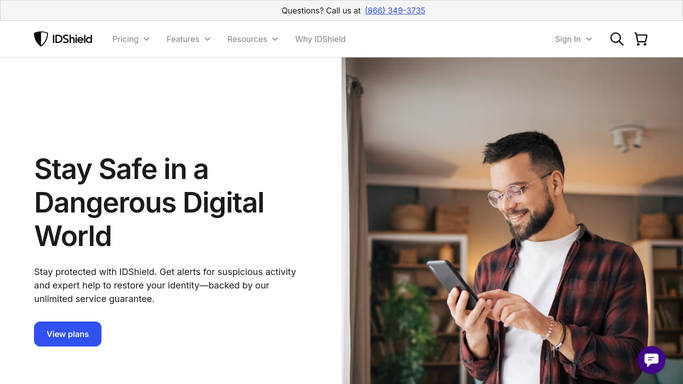
WebRun opens IDShield to check for new alerts. - Open the IDShield monitoring dashboard
- Check for any new alert since the last run, such as a dark web exposure or a new account opened
- Read the alert type, date, and the enrolled member it affects
Done when Every new alert since the last run has been read.
-
2
Google Drive - export the alert details
drive.google.com How to Automate Google Drive
WebRun opens Google Drive to export the alert details. - Open the identity alert tracking folder in Google Drive
- Save the alert details as a new record with type, date, and affected member
- Keep every prior alert on file for reference
Done when Every new alert has a saved record in Google Drive.
-
3
Twilio - text the assigned handler
twilio.com How to Automate Twilio
WebRun opens Twilio to text the assigned handler. - Text the assigned handler via Twilio naming the alert and the affected member
- Ask them to reach out and confirm next steps with that member
- Never contact the affected member directly or take action on the alert itself
Done when The assigned handler has been texted for every new alert this run.


How do I make sure every IDShield alert gets handed to someone right away?
WebRun checks IDShield every morning for new identity monitoring alerts, saves the details to Google Drive, and texts the assigned handler via Twilio so every alert gets a named owner right away. It never contacts the affected member itself, so follow up always stays a human, person to person step.
- Every alert gets a named handler within the day
- No identity alert sits in an inbox unnoticed
- Contacting the affected member always stays a human step
Built for HR and benefits teams · small business owners · operations managers · people teams
How is each run configured?
Secure by default
Connect once, stays signed in
WebRun signs in once and keeps each session in a persistent environment, so every run picks up right where it left off.
Every action is checked against this policy before it runs.
Questions, answered
Will WebRun contact the affected employee directly?
No. WebRun only texts the assigned internal handler. Reaching out to the affected member is always done by a person, not WebRun.
Will it resolve or dismiss the alert itself?
No. WebRun only reads, records, and hands off the alert. Investigating or resolving it stays with the assigned handler and the member.
What's saved to Google Drive?
Only the alert type, date, and which enrolled member it affects, kept as a record so no alert gets lost between handlers.
Related templates
Put this on autopilot.
Turn it on in minutes - or have our team set it up for you.