Get every new hire enrolled in passwordless login
Every morning, WebRun opens HYPR, checks which new employees still need to enroll their passwordless credential, logs a setup checklist card to Trello for each, and reminds their manager in Microsoft Teams to help them finish.
- No credit card
- Under $0.01 per run
- Cancel anytime
How do I track new hire passwordless enrollment in HYPR?
WebRun checks HYPR every morning for new employees who have not finished enrolling their passwordless credential within 3 days, logs a setup checklist card to Trello, and reminds their manager in Microsoft Teams. It never completes an enrollment itself, so device setup stays the employee's own step.
- New hires get enrolled within days, not weeks
- Managers are looped in automatically when their report is stuck
- WebRun never touches a credential, key, or biometric enrollment itself
Built for IT admins · identity and access management · onboarding teams · help desk
What does WebRun do on every run?
The exact actions WebRun takes, in order - in plain language, so you can adjust anything.
-
WebRun signs in and gets to work
Opens
www.hypr.comin a real browser with your saved login - no setup, no API keys. -
1
HYPR - check enrollment status
hypr.com
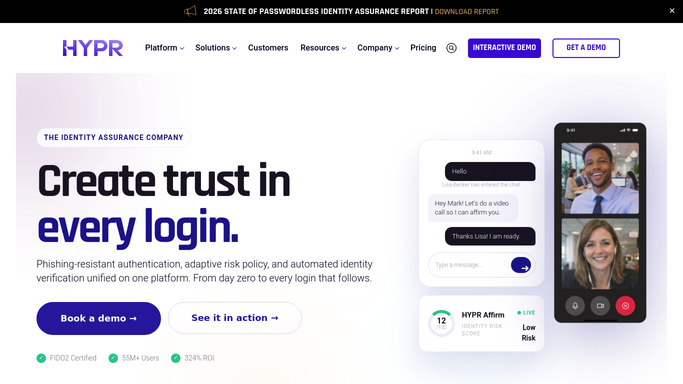
WebRun opens HYPR to check enrollment status. - Open the HYPR admin console and check enrollment status for recently added users
- Flag anyone who has not completed passwordless credential enrollment within 3 days of being added
- Note their device type and manager
Done when Every recently added user has a checked enrollment status.
-
2
Trello - log a setup checklist card
trello.com How to Automate Trello

WebRun opens Trello to log a setup checklist card. - Open the onboarding checklist board in Trello
- Add a setup card for each unenrolled employee with their start date and device type
- Move the card to Done once HYPR shows enrollment complete
Done when Every unenrolled employee has an open Trello checklist card.
-
3
Microsoft Teams - remind the manager
microsoft.com How to Automate Microsoft Teams

WebRun opens Microsoft Teams to remind the manager. - Message the employee's manager in Microsoft Teams with the enrollment reminder
- Ask them to help the employee complete setup on their device
- Never enroll a credential or approve a device on the employee's behalf
Done when Every manager with an unenrolled report has been messaged this run.
How is each run configured?
Secure by default
Connect once, stays signed in
WebRun signs in once and keeps each session in a persistent environment, so every run picks up right where it left off.
Every action is checked against this policy before it runs.
Questions, answered
Will WebRun enroll a device or credential for the employee?
No. WebRun never completes an enrollment or approves a device. It only tracks who is still unenrolled and reminds their manager to help.
How long before an unenrolled employee is flagged?
3 days after they are added to HYPR without completing enrollment. That gives normal onboarding time before it becomes a checklist item.
Does WebRun ever see a passkey or authentication credential?
No. It only reads enrollment status, whether it is complete or pending. It never touches the underlying credential, key, or biometric data.
Related templates
Put this on autopilot.
Turn it on in minutes - or have our team set it up for you.