Catch a broken Hugging Face Space before users do
Every hour, WebRun opens Hugging Face, checks each of your team's Spaces for a crashed, errored, or stuck build status, saves the build log to a Google Drive folder for reference, and texts the on call ML engineer through Twilio so a broken demo or app gets fixed before users hit it.
- No credit card
- Under $0.01 per run
- Cancel anytime
What does WebRun do on every run?
The exact actions WebRun takes, in order - in plain language, so you can adjust anything.
-
WebRun signs in and gets to work
Opens
huggingface.co/loginin a real browser with your saved login - no setup, no API keys. -
1
Hugging Face - check the team's Spaces for errors
huggingface.co

WebRun opens Hugging Face to check the team's Spaces for errors. - Open the team's Spaces and check each one's current runtime status
- Flag any Space showing crashed, errored, or stuck building
- Capture the Space name and the error status
Done when Every Space not running normally is listed with its status.
-
2
Google Drive - save the build log
drive.google.com How to Automate Google Drive
WebRun opens Google Drive to save the build log. - Save the build log for each flagged Space to the team's Drive folder
- Name the file with the Space name and the time it was captured
- Skip Spaces already logged this hour
Done when Every flagged Space has its build log saved to Drive.
-
3
Twilio - text the on call ML engineer
twilio.com How to Automate Twilio
WebRun opens Twilio to text the on call ML engineer. - Text the on call ML engineer the Space name and its status
- Link the saved build log
- Send one message per newly broken Space, not a batch
Done when The on call engineer has a text for every newly broken Space.
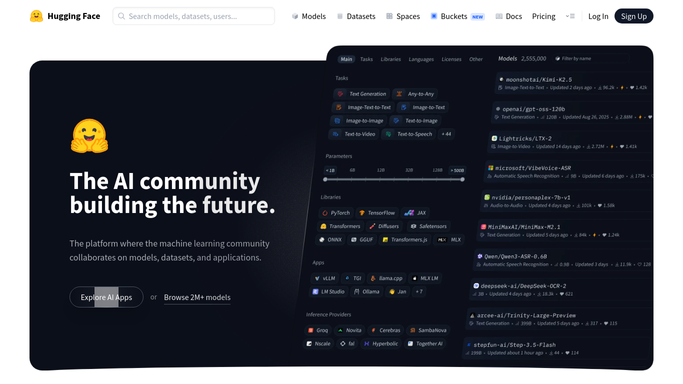


How do I get alerted when a Hugging Face Space goes down?
WebRun checks your team's Hugging Face Spaces every hour for a crashed, errored, or stuck build. It saves the build log to Google Drive for reference and texts the on call ML engineer through Twilio, so a broken demo or app gets a fix started before users run into it themselves.
- A crashed Space gets a text to on call within the hour
- Build logs are saved automatically for faster debugging
- Demos and internal tools stay up without manual status checks
Built for ML engineering teams · AI platform teams · developer relations · data science teams
How is each run configured?
Secure by default
Connect once, stays signed in
WebRun signs in once and keeps each session in a persistent environment, so every run picks up right where it left off.
Every action is checked against this policy before it runs.
Questions, answered
Will it restart the Space or change the code?
No. WebRun only reads the Space's status and saves its log. Restarting or fixing the Space is done by your engineer.
How is this different from checking Hugging Face myself?
It checks every Space every hour automatically, so a crash gets noticed and texted to on call even outside working hours.
What's saved in the build log?
The same build log Hugging Face already shows for the Space, saved to Drive so it's available even after the Space's own log rotates.
Related templates
Put this on autopilot.
Turn it on in minutes - or have our team set it up for you.