Answer the community questions piling up on your models
Every Monday, WebRun signs in to Hugging Face, walks the community tab of every model, dataset, and Space you own, collects the open discussions and pull requests with their age and last reply, writes each one into an Airtable triage table, and publishes a short summary page in Notion showing what is unanswered, what is waiting on you, and what has gone stale.
- No credit card
- Under $0.01 per run
- Cancel anytime
How do I keep on top of discussions on my Hugging Face repos?
WebRun walks the community tab of every Hugging Face model, dataset, and Space you own each Monday, collecting open discussions and pull requests with their age and last reply. It logs each thread in Airtable and publishes a Notion triage page splitting them into never answered, waiting on us, and stale.
- Unanswered community threads surface every Monday
- One queue across every model, dataset, and Space
- Nothing is replied to or merged without a maintainer
Built for ML engineers · open source maintainers · AI research teams · developer relations
What does WebRun do on every run?
The exact actions WebRun takes, in order - in plain language, so you can adjust anything.
-
WebRun signs in and gets to work
Opens
huggingface.co/loginin a real browser with your saved login - no setup, no API keys. -
1
Hugging Face - read open discussions and PRs
huggingface.co
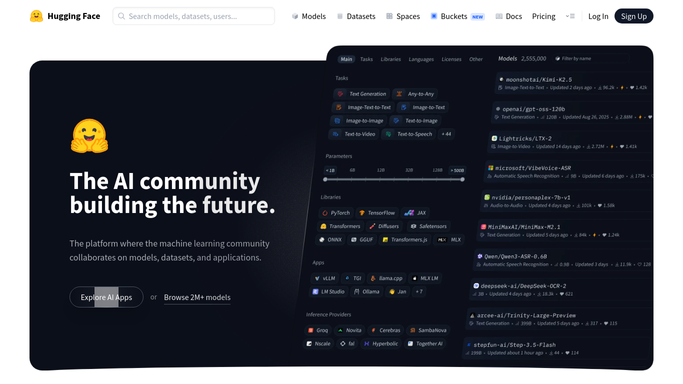
WebRun opens Hugging Face to read open discussions and PRs. - Sign in to Hugging Face and open the community tab on each model, dataset, and Space you own
- Capture every open discussion and pull request with its title, author, opened date, and last reply date
- Mark the ones with no reply at all, and the ones where the last word came from the community rather than your team
Done when Every open discussion and pull request across your repos is captured with its age.
-
2
Airtable - log the triage queue
airtable.com How to Automate Airtable

WebRun opens Airtable to log the triage queue. - Open your triage base in Airtable and add or update a row per thread
- Record the repo, the type, the title, the author, days open, days since last reply, and the owner
- Close out rows for threads that were answered or merged since the last run
Done when The Airtable queue matches what is genuinely open today.
-
3
Notion - publish the summary
notion.so How to Automate Notion

WebRun opens Notion to publish the summary. - Publish a weekly triage page in Notion with three sections: never answered, waiting on us, and stale
- Put the count per repo at the top so the noisiest project is obvious
- Replying and merging stay with a maintainer, because both are public actions on your repo
Done when The team has a readable triage page for the week.
How is each run configured?
Secure by default
Connect once, stays signed in
WebRun signs in once and keeps each session in a persistent environment, so every run picks up right where it left off.
Every action is checked against this policy before it runs.
Questions, answered
Will it reply to community threads or merge pull requests?
No. Replies and merges are public and permanent, so both stay with a maintainer. WebRun reads the community tabs and builds the queue, and a person answers inside Hugging Face.
Does it change my models, datasets, or Spaces?
No. The Hugging Face step is read only. WebRun never edits a repo, a model card, a file, or a Space configuration, and it never pushes a commit.
Can it cover an organisation with many repos?
Yes. Point it at your organisation and it walks every model, dataset, and Space you own, then groups the Notion summary by repo so the busiest project is obvious at a glance.
Related templates
Put this on autopilot.
Turn it on in minutes - or have our team set it up for you.