Make sure every Hoppscotch collection is actually documented
Every Monday, WebRun opens Hoppscotch, reviews each collection in the team workspace for example requests, descriptions, and environment variables, logs any gaps to Airtable, and posts a Notion checklist so new collections do not sit half-documented and unusable for the rest of the team.
- No credit card
- Under $0.01 per run
- Cancel anytime
What does WebRun do on every run?
The exact actions WebRun takes, in order - in plain language, so you can adjust anything.
-
WebRun signs in and gets to work
Opens
hoppscotch.io/loginin a real browser with your saved login - no setup, no API keys. -
1
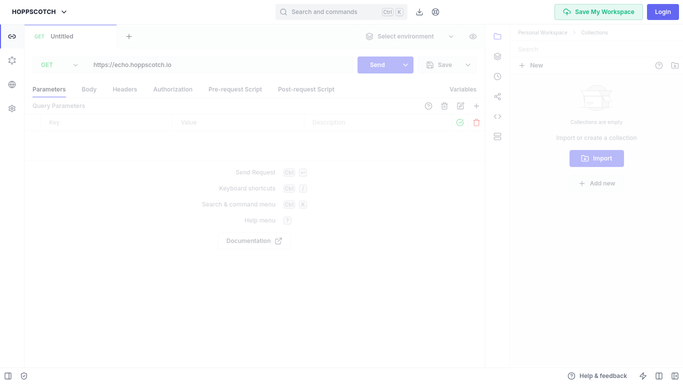
Hoppscotch - review collection completeness
hoppscotch.io

WebRun opens Hoppscotch to review collection completeness. - Open the team workspace in Hoppscotch and review each collection
- Check whether requests have descriptions and whether environment variables are set
- Note which collections are missing documentation or environment setup
Done when Every collection's documentation completeness is recorded.
-
2
Airtable - log documentation gaps
airtable.com How to Automate Airtable
WebRun opens Airtable to log documentation gaps. - Open the API Collections base
- Add or update a row per collection noting what is missing
- Mark any collection completed since the last check as done
Done when The Airtable base reflects the current documentation gap for every collection.
-
3
Notion - post the setup checklist
notion.so How to Automate Notion
WebRun opens Notion to post the setup checklist. - Open the API team's Notion page
- Post this week's checklist naming each incomplete collection and what it is missing
- Assign it to the collection's owner if known
Done when The team has this week's collection documentation checklist in Notion.


How do I make sure Hoppscotch API collections stay documented?
WebRun reviews every collection in your team's Hoppscotch workspace each Monday, checking for request descriptions and environment variables, and logs any gaps to Airtable. It then posts a Notion checklist naming each incomplete collection and its owner, so a new API collection does not sit half-documented and unusable for the rest of the team.
- Every collection gets checked for documentation gaps every week
- New collections stop sitting half-set-up and hard to reuse
- Owners see exactly what is missing instead of guessing
Built for API platform teams · backend engineering teams · integration teams · developer experience teams
How is each run configured?
Secure by default
Connect once, stays signed in
WebRun signs in once and keeps each session in a persistent environment, so every run picks up right where it left off.
Every action is checked against this policy before it runs.
Questions, answered
Will WebRun write the missing documentation itself?
No. It only identifies what is missing and builds the checklist. Writing request descriptions and setting environment variables stays with the collection owner.
What counts as a documentation gap?
A collection missing request descriptions or environment variables that other requests in the workspace typically have, based on what your team has already set up elsewhere.
Does it check every collection or just new ones?
Every collection in the workspace each week, so an older collection that quietly went stale gets caught too, not just newly created ones.
Related templates
Put this on autopilot.
Turn it on in minutes - or have our team set it up for you.