Catch a runaway pipeline before it eats the quota
Every morning, WebRun opens Hevo Data, reads events used against the plan quota for the current billing period, works out which pipelines and destinations are consuming fastest, posts the burn rate to Slack, and drafts a Gmail brief when the current pace would exhaust the quota before the period ends.
- No credit card
- Under $0.01 per run
- Cancel anytime
How do I track my data pipeline events usage against the quota?
WebRun opens Hevo Data every morning and reads events used against the plan quota for the current billing period, then ranks pipelines by consumption. It posts the burn rate and days remaining to Slack, and drafts a Gmail brief when the pace would exhaust the quota before the period ends.
- A runaway pipeline is caught before ingestion stops
- The burn rate names the heaviest pipelines every morning
- A brief lands in Drafts only when the pace actually overruns
Built for data engineers · analytics leads · platform teams · data operations
What does WebRun do on every run?
The exact actions WebRun takes, in order - in plain language, so you can adjust anything.
-
WebRun signs in and gets to work
Opens
hevodata.comin a real browser with your saved login - no setup, no API keys. -
1
Hevo Data - read events used against quota
hevodata.com
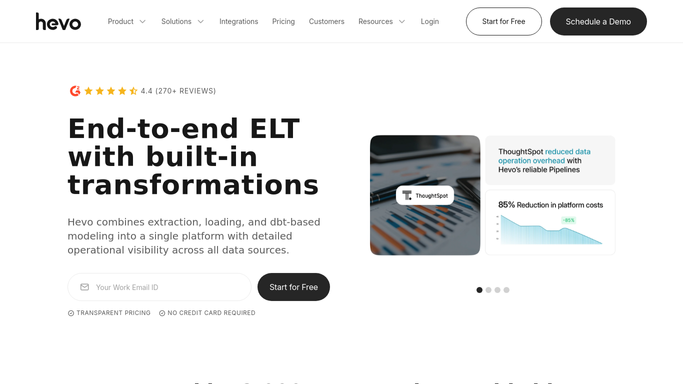
WebRun opens Hevo Data to read events used against quota. - Open Hevo Data and read events used against the plan quota for this billing period
- Note the days left in the period and work out the daily pace needed to stay inside the quota
- Rank pipelines and destinations by events consumed so the heaviest consumers are named
Done when Events used, quota, days remaining and the top consuming pipelines are known.
-
2
Slack - post the burn rate
slack.com How to Automate Slack

WebRun opens Slack to post the burn rate. - Post the burn rate to your data channel: events used, quota, percent consumed and days left
- Name the pipelines burning the most events since yesterday
- Post internally only. WebRun never pauses a pipeline or changes a plan
Done when Today's burn rate is posted in Slack.
-
3
Gmail - draft the brief when the pace overruns
gmail.com How to Automate Gmail

WebRun opens Gmail to draft the brief when the pace overruns. - Draft an email brief when the current pace would exhaust the quota before the period ends
- Include the projected overshoot date and the pipelines responsible for it
- Leave it in Drafts for you to review and send. WebRun never emails a vendor or approves an upgrade
Done when A brief is waiting in Drafts whenever the pace overruns the period.
How is each run configured?
Secure by default
Connect once, stays signed in
WebRun signs in once and keeps each session in a persistent environment, so every run picks up right where it left off.
Every action is checked against this policy before it runs.
Questions, answered
Will it pause a pipeline or upgrade my plan?
No. WebRun reports the burn rate and the pipelines behind it. Pausing a pipeline, throttling a source or changing a plan stays a manual decision inside Hevo Data.
Does it read the data flowing through the pipelines?
No. WebRun reads usage counters, quota and pipeline names. The records moving through your pipelines are never opened, copied or reported.
When does it draft the email brief?
Only when the current pace would exhaust the quota before the billing period ends. On a normal day you get the Slack burn rate and nothing lands in your Drafts.
Related templates
Put this on autopilot.
Turn it on in minutes - or have our team set it up for you.