Keep your equipment customers coming back with proactive service reminders
Every Monday, WebRun reads equipment service history in e-Emphasys, identifies units approaching their next scheduled service interval, drafts an outreach campaign in Mailchimp for your team to review, and logs the targeted units in Google Sheets.
- No credit card
- Under $0.01 per run
- Cancel anytime
What does WebRun do on every run?
The exact actions WebRun takes, in order - in plain language, so you can adjust anything.
-
WebRun signs in and gets to work
Opens
e-emphasys.com/home/solutionsin a real browser with your saved login - no setup, no API keys. -
1
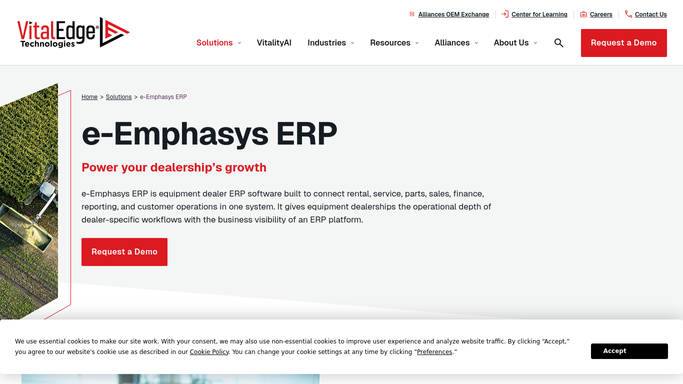
e-Emphasys - find equipment due for service
e-emphasys.com How to Automate e-Emphasys

WebRun opens e-Emphasys to find equipment due for service. - Open e-Emphasys Fleet or Service module and find equipment units approaching the manufacturer's recommended service interval
- Filter to units within 30 days of their next scheduled preventive maintenance
- Capture the customer name, equipment serial number, model, and service due date for each
Done when All equipment units approaching service intervals are identified with customer details.
-
2
Google Sheets - log targeted units and track history
google.com How to Automate Google Sheets
WebRun opens Google Sheets to log targeted units and track history. - Log each unit, customer, and service due date in the reminder tracking sheet
- Mark units already contacted this cycle to prevent duplicate outreach
Done when Tracking sheet is updated with all units targeted this week.
-
3
Mailchimp - draft service reminder campaign for approval
mailchimp.com How to Automate Mailchimp
WebRun opens Mailchimp to draft service reminder campaign for approval. - Create a draft Mailchimp email campaign listing the due-service reminder for each targeted customer
- Personalize each email with the customer name, equipment model, and service due date
- Leave the campaign as a draft for your team to review, edit, and approve before sending
Done when A draft Mailchimp campaign is ready for team review and approval.


How do I automatically remind customers when their heavy equipment is due for service?
WebRun checks e-Emphasys every Monday for equipment units within 30 days of their next scheduled service interval, logs them in Google Sheets, and drafts a personalized service reminder email campaign in Mailchimp for your team to review and approve. Multiple units per customer are grouped into a single outreach.
- Service calendar fills proactively instead of reactively
- No customer's equipment passes its service interval without a reminder
- Outreach is grouped so customers with multiple machines get one email, not many
Built for heavy equipment dealers · equipment rental companies · dealer service departments
How is each run configured?
Secure by default
Connect once, stays signed in
WebRun signs in once and keeps each session in a persistent environment, so every run picks up right where it left off.
Every action is checked against this policy before it runs.
Questions, answered
Will it send the service reminder emails to customers on its own?
No. WebRun drafts the Mailchimp campaign but never sends it. Your team reviews, edits if needed, and approves the send manually.
How does it know when each piece of equipment is due for service?
It reads the service interval schedule and last service date from e-Emphasys for each unit, using the manufacturer-recommended intervals already recorded in the system.
Can it remind customers for multiple units they own?
Yes. It groups all due units per customer into one email so they receive a single reminder, not one per machine.
Related templates
Put this on autopilot.
Turn it on in minutes - or have our team set it up for you.