Automated Groww Weekly Portfolio Scorecard
Every Monday, WebRun opens Groww, reads your mutual fund and stock holdings along with their current value and returns, logs this week's numbers to a Google Sheet, and drafts a plain-language summary email in Gmail comparing this week's performance to last, left unsent for your review.
How do I get a weekly scorecard of my Groww investments?
WebRun reads your Groww mutual fund and stock holdings every Monday, capturing current value, invested amount, and return for each. It logs the week's totals to a Google Sheet and drafts a Gmail summary comparing this week to last, naming the best and worst performer, so you get an honest weekly read without opening the app yourself.
- You see real weekly returns instead of only checking in occasionally
- Mutual funds and direct stocks stay broken out so neither one hides the other
- A full performance history builds in Sheets without a single manual entry
Built for Indian retail investors · mutual fund investors · Groww users · long-term investors
What does WebRun do on every run?
The exact actions WebRun takes, in order - in plain language, so you can adjust anything.
-
WebRun signs in and gets to work
Opens
groww.inin a real browser with your saved login - no setup, no API keys. -
1
Groww - read mutual fund and stock holdings
groww.in
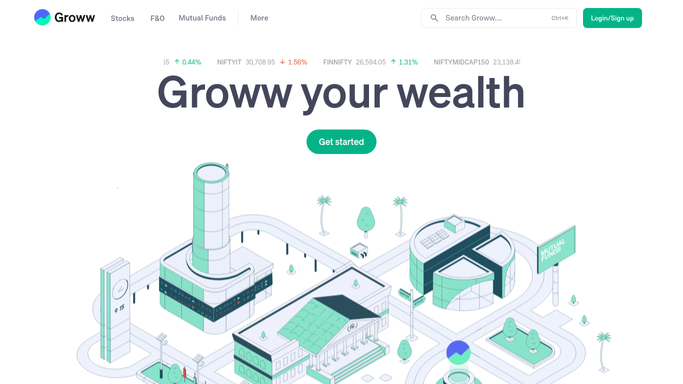
WebRun opens Groww to read mutual fund and stock holdings. - Open Groww and read every mutual fund and stock holding
- Capture current value, invested amount, and overall return for each
- Calculate total portfolio value and its change from last week
Done when This week's full holdings and returns are captured.
-
2
Google Sheets - log this week's value and returns
google.com

WebRun opens Google Sheets to log this week's value and returns. - Append this week's total value and return as a new row
- Break the total down by mutual funds and direct stocks
- Keep every prior week's row so the sheet builds a full history
Done when This week's portfolio value and return are logged.
-
3
Gmail - draft the weekly summary
gmail.com

WebRun opens Gmail to draft the weekly summary. - Draft an email comparing this week's total value and return to last week's
- Name the best and worst performing holding
- Save it as a draft addressed to you. Never send it automatically
Done when A weekly summary draft is ready in Gmail for your review.
How is each run configured?
Secure by default
Connect once, stays signed in
WebRun signs in once and keeps each session in a persistent environment, so every run picks up right where it left off.
Every action is checked against this policy before it runs.
Questions, answered
Will WebRun buy or redeem any mutual fund units for me?
No. WebRun only reads your holdings and their returns and reports on them. It never places an order, never redeems a fund, and never moves money in or out of your Groww account.
Does it cover both mutual funds and direct stocks?
Yes, and they are broken out separately in the weekly log, so a mutual fund's steady return never masks how your individual stock picks are actually doing.
How is the return calculated?
Against your actual invested amount as shown in Groww, so the return reflects your real cost basis rather than a generic market benchmark.
Related templates
Put this on autopilot.
Turn it on in minutes - or have our team set it up for you.