Have next week's posts drafted and waiting for approval
Every Friday, WebRun opens Grok, works through your standing prompt list of next week's topics one at a time, collects the drafted posts and the hooks it suggests, files them all in your content channel in Microsoft Teams as a numbered approval queue, and pings you on WhatsApp with how many drafts are waiting.
- No credit card
- Under $0.01 per run
- Cancel anytime
How do I get next week's content drafted automatically for review?
WebRun opens Grok every Friday and works through your standing topic list, collecting a drafted post and two alternative openings for each. It files the whole set in Microsoft Teams as a numbered approval queue and pings you on WhatsApp with the count, so nothing publishes without your review.
- Monday starts with a full queue instead of a blank page
- Every draft carries alternative openings so testing is easy
- Nothing publishes until a human approves it in Teams
Built for content marketers · solo founders · social media managers · agencies
What does WebRun do on every run?
The exact actions WebRun takes, in order - in plain language, so you can adjust anything.
-
WebRun signs in and gets to work
Opens
grok.comin a real browser with your saved login - no setup, no API keys. -
1
Grok - draft next week's posts from your topics
grok.com
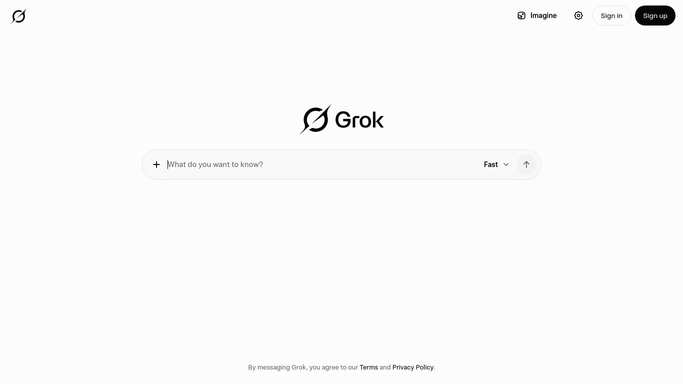
WebRun opens Grok to draft next week's posts from your topics. - Open Grok and start a fresh chat for next week's content
- Work through your standing topic list one prompt at a time, keeping your tone and length rules in the prompt
- Collect each answer as a draft post plus two alternative opening lines
- Ask for a short note on anything it could not support, so nothing unverified is presented as fact
Done when Every topic on the list has a draft and two alternative openings.
-
2
Microsoft Teams - file the drafts as an approval queue
microsoft.com How to Automate Microsoft Teams

WebRun opens Microsoft Teams to file the drafts as an approval queue. - Post the drafts to your content channel in Microsoft Teams as a numbered queue
- Put each draft, its alternative openings, and its intended day in one message
- Mark anything Grok flagged as unverified so a human checks it before it goes out
- Leave everything as a draft. WebRun never publishes a post anywhere
Done when Next week's drafts sit in Teams as a numbered approval queue.
-
3
WhatsApp - tell you how many drafts are waiting
whatsapp.com How to Automate WhatsApp

WebRun opens WhatsApp to tell you how many drafts are waiting. - Send yourself a short WhatsApp message with the number of drafts waiting
- List the topics covered so you can spot a gap before Monday
- Name anything marked unverified that needs a fact check
- Include the link to the Teams queue
Done when You know on WhatsApp how many drafts are waiting and what they cover.
How is each run configured?
Secure by default
Connect once, stays signed in
WebRun signs in once and keeps each session in a persistent environment, so every run picks up right where it left off.
Every action is checked against this policy before it runs.
Questions, answered
Will anything get published without me?
No. Every draft stops in the Microsoft Teams queue. WebRun never posts to a social account, a blog, or a newsletter. You approve, edit, and publish each one yourself.
How do I keep the drafts in my voice?
Your standing prompt carries your tone rules, length limits, and example posts, and WebRun sends it with every topic, so the queue comes back consistent rather than generic.
What about claims the model cannot back up?
WebRun asks Grok to flag anything it could not support, and those drafts are marked in the Teams queue so a human checks the facts before the post goes anywhere.
Related templates
Put this on autopilot.
Turn it on in minutes - or have our team set it up for you.