Spot a bad Android release before your users do
Every morning, WebRun opens Google Play Console, reads the state of each release track, the crash and ANR rates on your current version, and any policy or review warnings, posts a short health report to Telegram, and texts your on-call number through Twilio when a number crosses the critical threshold you set.
- No credit card
- Under $0.01 per run
- Cancel anytime
How do I monitor Android release health and crash rates every day?
WebRun opens Google Play Console every morning and reads each release track, the rollout percentage, the crash and ANR rates on the current version, and any policy warnings. It posts a health report to Telegram and texts your on-call number through Twilio when a metric crosses your critical threshold, so a bad build gets caught early.
- A crash spike reaches on-call the morning it starts
- Releases stuck in review are visible instead of silently waiting
- Every app's rollout state is in one message before stand-up
Built for mobile engineers · Android developers · release managers · app studios
What does WebRun do on every run?
The exact actions WebRun takes, in order - in plain language, so you can adjust anything.
-
WebRun signs in and gets to work
Opens
play.google.com/consolein a real browser with your saved login - no setup, no API keys. -
1
Google Play Console - read release and crash health
play.google.com
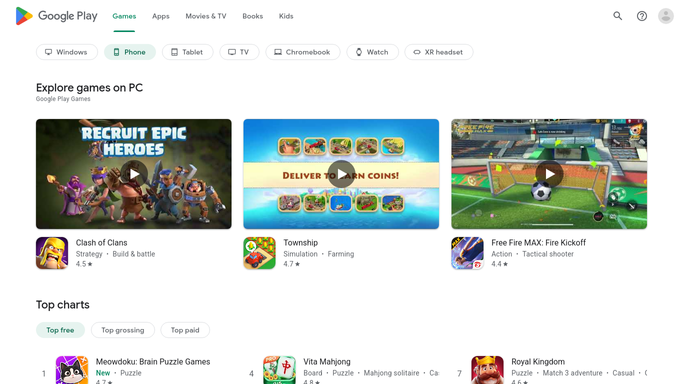
WebRun opens Google Play Console to read release and crash health. - Open Google Play Console and select each app you ship
- Read the status of the production, open testing, and internal testing tracks
- Capture the current version, the rollout percentage, and whether a review is still pending
- Read the crash rate and the ANR rate on the latest version and compare them to the previous version
- Note any policy warning or rejection shown on the app
- Read only. Never change a rollout, halt a release, or submit anything for review
Done when Each app has its track status, rollout percentage, crash rate, and warnings captured.
-
2
Telegram - post the morning health report
telegram.org How to Automate Telegram

WebRun opens Telegram to post the morning health report. - Post a short release health report to your engineering channel on Telegram
- Lead with the current production version and its rollout percentage
- Show the crash rate and ANR rate next to the previous version's numbers
- Call out any release stuck in review and any policy warning
- Keep it to one screen so it gets read on a phone
Done when The engineering channel has today's release health report in Telegram.
-
3
Twilio - page on-call when it spikes
twilio.com How to Automate Twilio

WebRun opens Twilio to page on-call when it spikes. - Compare the crash and ANR rates against the critical threshold you set
- Send a short text to your own on-call number through Twilio when a threshold is crossed
- Name the app, the version, the metric, and the number in the message
- Only your saved on-call numbers are ever used. WebRun never texts an app user or a reviewer
- Queue anything below the critical threshold for you to release instead of sending it
Done when On-call has been paged for any metric over the critical threshold, and nothing else was sent.
How is each run configured?
Secure by default
Connect once, stays signed in
WebRun signs in once and keeps each session in a persistent environment, so every run picks up right where it left off.
Every action is checked against this policy before it runs.
Questions, answered
Can it halt or change a rollout?
No. WebRun reads Play Console only. It never changes a rollout percentage, halts a release, submits an app for review, replies to a store review, or edits a listing. Those stay human decisions.
Who receives the text alert?
Only the on-call numbers you save yourself. WebRun never texts an app user, a reviewer, or anyone outside your roster, and anything below the critical threshold is queued for you to release rather than sent.
What counts as a spike?
You set the crash rate and ANR thresholds. WebRun compares the current version against them and against the previous version's numbers, and only pages when your critical line is crossed.
Related templates
Put this on autopilot.
Turn it on in minutes - or have our team set it up for you.