Catch the notebook runtimes nobody is using
Every hour, WebRun opens Google Colab, lists the sessions still holding a runtime, notes the notebook, the owner, the runtime type and how long it has been idle, records each one in Notion, and messages you on Telegram with the sessions worth shutting down.
- No credit card
- Under $0.01 per run
- Cancel anytime
How do I find Colab runtimes that are sitting idle and burning compute?
Every hour WebRun opens Google Colab, lists the sessions still holding a runtime, and notes the notebook, the owner, the runtime type and how long it has been idle. It records each one in Notion and messages Telegram with the sessions worth shutting down, leaving the shutdown to you.
- A GPU runtime left running overnight is caught within the hour
- Compute burned this billing period is visible in Notion at any time
- Notebooks that are always left attached become obvious over a few weeks
Built for data science teams · ML engineers · research groups · engineering managers
What does WebRun do on every run?
The exact actions WebRun takes, in order - in plain language, so you can adjust anything.
-
WebRun signs in and gets to work
Opens
colab.research.google.comin a real browser with your saved login - no setup, no API keys. -
1
Google Colab - list the live sessions
colab.research.google.com
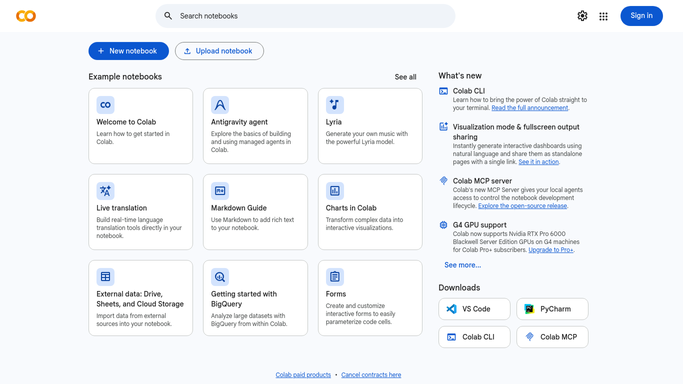
WebRun opens Google Colab to list the live sessions. - Open Google Colab and go to the list of active sessions
- Record each notebook still attached to a runtime, its runtime type, and the Drive file it came from
- Work out how long each session has been running and how long since it last executed a cell
- Never disconnect or terminate a session. WebRun reports them and leaves the shutdown to a person
Done when Every live session is listed with its runtime type, owner and idle time.
-
2
Notion - record what is running
notion.so How to Automate Notion

WebRun opens Notion to record what is running. - Update the runtime page with one row per live session: notebook, owner, runtime type, start time and idle time
- Roll up the compute units consumed so far this billing period
- Keep a short history so a notebook that is left running every week becomes obvious
Done when The Notion page shows what is running right now and the compute burned this period.
-
3
Telegram - ping you about idle runtimes
telegram.org How to Automate Telegram

WebRun opens Telegram to ping you about idle runtimes. - Message the data team only when a session has been idle past the threshold you set
- Put the accelerated runtimes first, since those cost the most while doing nothing
- Name the notebook and the owner so the right person can disconnect it
- Stay silent on runs where nothing is idle so the channel is worth reading
Done when The team knows which idle sessions are still attached and who owns each.
How is each run configured?
Secure by default
Connect once, stays signed in
WebRun signs in once and keeps each session in a persistent environment, so every run picks up right where it left off.
Every action is checked against this policy before it runs.
Questions, answered
Will it kill a session that is still working?
No. WebRun never disconnects or terminates a runtime, because a shutdown loses in-memory state. It reports the idle sessions and the owner disconnects the ones that are genuinely finished.
How does it tell idle from busy?
It reads how long since the session last executed a cell and compares that with the threshold you set, so a long training run stays off the alert while an abandoned tab does not.
Does it run any of my notebooks?
No. This sweep executes nothing. It only reads the session list, the runtime types and the compute consumed, so your notebooks and their outputs are untouched.
Related templates
Put this on autopilot.
Turn it on in minutes - or have our team set it up for you.