Automatic Google Chat Shared File Index
Every Monday, WebRun opens Google Chat, walks the spaces you nominate, collects every file and link shared in the last week, indexes each one in Airtable with the space, the person who posted it, the date and the surrounding message, and sends you a Telegram roundup of what was shared where.
How do I find a file someone shared in a chat weeks ago?
WebRun walks your nominated Google Chat spaces every Monday and collects the files and links shared over the past week. It indexes each one in Airtable with the poster, the space, the date and a line of context, then sends you a Telegram roundup grouped by space.
- A document posted in a busy space three weeks ago is still findable
- Every item carries who shared it, where and why
- Duplicates are skipped, so the index stays clean week after week
Built for team leads · operations managers · knowledge managers · remote teams · agencies
What does WebRun do on every run?
The exact actions WebRun takes, in order - in plain language, so you can adjust anything.
-
WebRun signs in and gets to work
Opens
chat.google.comin a real browser with your saved login - no setup, no API keys. -
1
Google Chat - collect shared files and links
chat.google.com
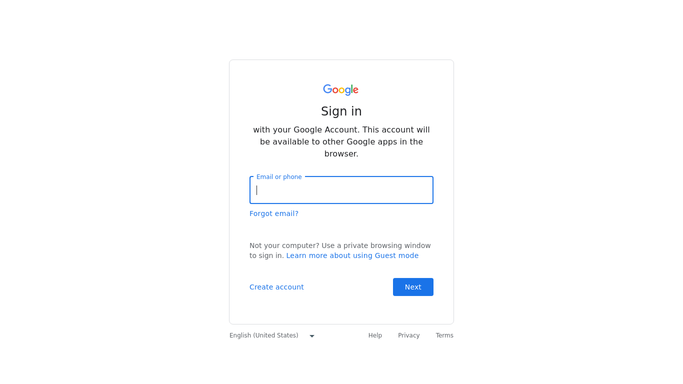
WebRun opens Google Chat to collect shared files and links. - Open Google Chat and go through each space on your list
- Find the files and links shared in the past week, including ones posted inside long threads
- Capture the file or link name, the person who posted it, the space and the date
- Read the message around each one so the index carries a line of context, not just a filename
Done when Every file and link shared this week across the watched spaces is captured with its poster and space.
-
2
Airtable - index each item
airtable.com

WebRun opens Airtable to index each item. - Add one Airtable row per item with the name, the space, the poster, the date and the context line
- Tag each row by space and by type so a document, a spreadsheet and a link can be filtered apart
- Skip anything already indexed on a previous run so the table stays clean
- Keep the link back to the original message so a person can reopen the conversation
Done when Airtable holds a searchable row for every item shared this week, with no duplicates.
-
3
Telegram - send the weekly roundup
telegram.org

WebRun opens Telegram to send the weekly roundup. - Send a short Telegram roundup of what was shared over the week
- Group it by space, with the busiest space first and a count per space
- Name the handful of items most likely to be needed again, such as documents posted in a busy space
Done when You have the week's sharing roundup grouped by space in Telegram.
How is each run configured?
Secure by default
Connect once, stays signed in
WebRun signs in once and keeps each session in a persistent environment, so every run picks up right where it left off.
Every action is checked against this policy before it runs.
Questions, answered
Does it download the files?
No. It records the name, the poster, the space and the link back to the original message. File uploads and downloads are blocked by the strict lockdown policy.
Will it post in my chat spaces?
No. WebRun reads the spaces you nominate and writes only to Airtable and your own Telegram. It never sends a message into a space or replies to anyone.
Which spaces does it read?
Only the ones you list at setup. Direct messages and any space you leave off the list are never opened.
Related templates
Put this on autopilot.
Turn it on in minutes - or have our team set it up for you.